Latex printing has become a preferred choice for many professionals due to its versatility, eco-friendliness, and ability to produce high-quality prints on a variety of substrates. However, even experienced operators encounter common latex printing problems that can disrupt workflow, increase costs, or compromise print quality. Understanding these challenges and knowing how to prevent them is essential for anyone working with latex printers.
Whether you’re new to this technology or looking to refine your process, this guide covers the most frequent issues faced in latex printing, practical troubleshooting tips, and proven strategies to keep your output consistent. For those just starting, you may also find value in our introduction to latex printing, which lays out the basics and best practices for new designers and print operators.
Understanding the Most Frequent Issues in Latex Printing
Even with advanced technology, latex printers can experience a range of technical and material-related difficulties. Recognizing the root causes behind these common latex printing problems is the first step toward effective prevention and resolution.
- Banding and Streaks: Visible lines or streaks across prints can result from clogged nozzles, incorrect media settings, or inconsistent ink flow.
- Color Inconsistency: Variations in color output may be due to uncalibrated monitors, outdated profiles, or environmental factors like humidity and temperature.
- Ink Smudging or Poor Adhesion: Prints that do not dry properly or show ink transfer can be traced to incorrect curing temperatures, incompatible substrates, or insufficient drying time.
- Media Wrinkling or Buckling: When the substrate warps or wrinkles during printing, it often points to excessive heat, improper loading, or unsuitable media selection.
- Printhead Clogging: Dried ink or dust can block printhead nozzles, leading to missing lines or poor image quality.
How to Prevent Banding, Streaks, and Printhead Issues
Banding and streaks are among the most visible and frustrating latex printer problems. To minimize these issues, start with regular maintenance. Clean printheads according to the manufacturer’s schedule and use the printer’s built-in cleaning cycles. Always handle cartridges and maintenance kits with care to avoid introducing dust or debris.
Media selection and handling are equally important. Ensure that the substrate is loaded flat and tensioned correctly. Use recommended media profiles and check that the print environment is free from excessive dust or static. If you notice persistent banding, recalibrate the printer and verify that the correct print mode is selected for your material.
Ensuring Accurate Colors and Consistent Results
Achieving reliable color output is a common concern in latex printing. To address this, regularly calibrate your monitor and printer. Using a monitor calibration tool helps ensure the colors you see on screen match the final print. Update your ICC profiles for each substrate and ink combination, and avoid using generic profiles for critical work.
Environmental conditions can also impact color consistency. Maintain a stable temperature and humidity in your print room, as fluctuations can alter ink behavior and substrate absorption. For more on the durability and real-world performance of latex prints, see our article on how durable is latex printing.
If you notice ongoing color shifts, check for firmware updates and ensure that your RIP software is configured correctly. When possible, run test prints and adjust settings before starting large production runs.
Preventing Ink Smudging and Adhesion Problems
Ink smudging or poor adhesion can ruin an otherwise perfect print. These issues are often linked to curing temperature and media compatibility. Always verify that the curing temperature is set according to the substrate manufacturer’s recommendations. Too low, and the ink may not dry; too high, and the media may warp or discolor.
Choose substrates specifically rated for latex inks. Incompatible materials may repel the ink or fail to bond properly, resulting in smudges or flaking. Allow prints to cure fully before handling, especially when producing graphics for outdoor or high-traffic use.
Managing Media Handling and Environmental Factors
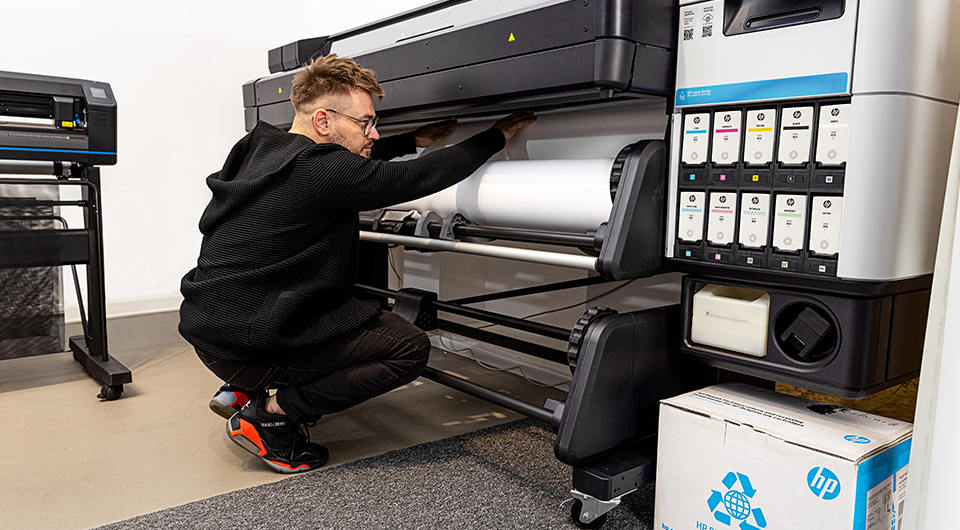
Proper media handling is crucial to preventing wrinkling, buckling, and other substrate-related issues. Store media in a clean, dry area and allow it to acclimate to the print room environment before use. When loading, ensure the material is straight and tensioned correctly to avoid skewing or jams.
Environmental controls play a significant role in latex printing. Maintain recommended temperature and humidity levels to prevent static buildup, ink drying issues, and substrate deformation. For more tips on keeping your equipment in top shape, refer to our guide on how to maintain a latex printer.
Expert Tips for Reducing Downtime and Waste
Minimizing downtime and material waste is a priority for any print operation. Schedule regular maintenance, including cleaning printheads and checking for firmware updates. Keep a log of recurring issues to identify patterns and address root causes.
Invest in quality consumables, such as certified latex inks and compatible substrates, to reduce the risk of unexpected failures. When troubleshooting, consult the printer’s manual and support resources, and don’t hesitate to reach out to technical support for persistent or unusual problems.
For a deeper understanding of the differences between latex and other digital printing methods, you can explore this comparison of latex and digital printing technologies.
FAQ: Troubleshooting and Preventing Latex Printer Issues
What causes banding or streaks in latex prints?
Banding or streaks are typically caused by clogged printhead nozzles, incorrect media profiles, or improper print settings. Regular cleaning, using the correct substrate profiles, and ensuring proper media loading can help eliminate these issues.
How can I ensure consistent color output with my latex printer?
Consistent color results from regular calibration of both your monitor and printer, using updated ICC profiles, and maintaining stable environmental conditions. Investing in a monitor calibration tool and updating your RIP software settings are also recommended.
Why is my latex print not drying properly or showing ink smudges?
Inadequate curing temperature, incompatible media, or insufficient drying time can cause prints to remain tacky or smudge. Always check the recommended curing settings for your substrate and allow prints to cure fully before handling.
How can I prevent media wrinkling or buckling during printing?
Store media in a climate-controlled environment, allow it to acclimate before printing, and load it carefully to ensure even tension. Avoid excessive heat during curing, as this can cause warping or deformation.
Conclusion
Addressing common latex printing problems requires a combination of regular maintenance, careful media selection, and attention to environmental factors. By following these best practices, you can reduce downtime, minimize waste, and consistently produce high-quality prints. For those interested in sustainability, latex printing is also known for its eco-friendly advantages—learn more in our article on eco friendly latex printing.
Staying proactive and informed is the best way to ensure your latex printer delivers reliable results, project after project.