
Smudging issues with eco solvent inks can be frustrating for print professionals and hobbyists alike. Whether you’re running a print shop or managing your own creative projects, encountering blurred lines, streaks, or ink that doesn’t dry properly can disrupt workflow and waste materials. Understanding why these problems occur and how to address them is essential for maintaining high-quality results and efficient production.
This article explores the most common causes of eco solvent ink smudging problem and provides practical solutions to help you achieve crisp, durable prints. We’ll also touch on best practices, recommended maintenance routines, and how to select the right materials for your printing needs. If you’re interested in the environmental impact and safety considerations of these inks, you may want to read about eco solvent ink sustainability for a broader perspective.
Understanding Why Eco Solvent Ink Smudges
Smudging with eco solvent inks can stem from several factors, including ink formulation, substrate compatibility, environmental conditions, and printer settings. Unlike water-based inks, eco solvent options are designed for durability and outdoor use, but they still require proper handling to prevent unwanted smears or blurring.
- Ink Drying Time: Eco solvent inks need adequate time to dry and cure. Printing too quickly or stacking prints before they’re fully dry can lead to smudging.
- Substrate Issues: Not all media are compatible with eco solvent formulations. Using the wrong vinyl, banner, or paper can cause ink to sit on the surface and smear easily.
- Environmental Factors: High humidity, low temperatures, or poor ventilation can slow down drying and increase the risk of smudging.
- Printer Settings: Incorrect temperature, speed, or ink density settings may prevent proper curing and adhesion.
Common Causes of Ink Smearing in Eco Solvent Printing
To address eco solvent ink smudging problem effectively, it’s important to diagnose the root cause. Below are some of the most frequent culprits:
- Incompatible Media: Some substrates are not engineered for solvent-based inks. Always check manufacturer recommendations and test new materials before running large jobs.
- Insufficient Drying or Curing: If prints are handled or rolled up before the ink has set, smudging is almost inevitable. Allow for adequate drying time, especially in humid environments.
- Incorrect Heater Settings: Most eco solvent printers have pre-heaters, platen heaters, and post-heaters. If these are set too low, ink may not dry as intended.
- Over-Saturation: Applying too much ink can overwhelm the substrate’s absorption capacity, leading to pooling and smears.
- Poor Quality Ink: Low-grade or expired inks may not perform as expected. Always use reputable brands and check expiration dates.
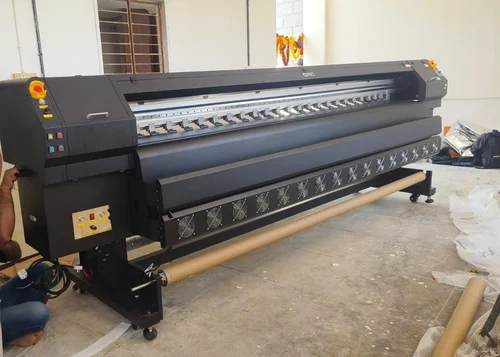
Practical Solutions for Preventing Smudging
Addressing eco solvent ink smudging problem requires a combination of proper printer maintenance, careful material selection, and environmental control. Here are proven strategies to minimize or eliminate smears:
Choose the Right Media
Always use substrates specifically rated for eco solvent printing. Manufacturers often provide compatibility charts to help you select the best vinyl, banner, or specialty paper for your application. If you’re unsure, request samples and run small test prints before committing to a full production run.
Optimize Printer Settings
- Heater Temperatures: Adjust pre-heater, platen, and post-heater settings according to the media and ink manufacturer’s guidelines. Higher temperatures can speed up drying, but be careful not to warp sensitive materials.
- Print Speed: Slower print speeds allow more time for ink to adhere and dry, reducing the risk of smudging.
- Ink Limits: Use your RIP software to set optimal ink limits and prevent over-saturation.
Control the Print Environment
Maintain a stable environment in your print area. Ideal conditions for eco solvent printing are typically 20–28°C (68–82°F) with 40–60% relative humidity. Use dehumidifiers or air conditioning if necessary, and ensure good airflow to help ink cure properly.
Allow Proper Drying and Handling
Even with fast-drying inks, prints need time to cure. Avoid stacking, rolling, or laminating prints immediately after production. For best results, let them rest flat in a dust-free area for several hours, or as recommended by the ink manufacturer.
Use High-Quality Inks
Invest in reputable, well-formulated eco solvent inks. Cheaper alternatives may save money upfront but can lead to persistent smudging and costly reprints. For more details about the chemistry and benefits of these inks, see this comprehensive guide to eco solvent digital ink.
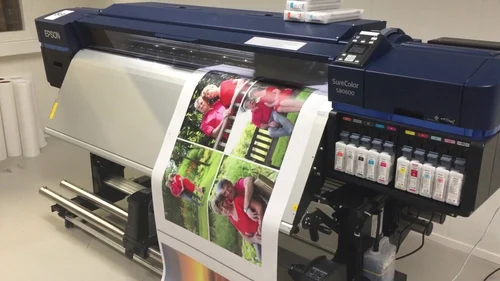
Maintenance Tips to Avoid Smudging Issues
Regular printer maintenance is crucial for consistent print quality. Here are some maintenance tips to help prevent smudging and prolong the life of your equipment:
- Clean Printheads Frequently: Clogged or dirty printheads can cause uneven ink distribution and streaks. Follow your printer’s recommended cleaning schedule.
- Check and Replace Wipers and Caps: Worn-out components can lead to ink buildup and transfer onto prints.
- Monitor Ink Levels and Quality: Running low on ink or using expired cartridges can affect print quality and drying performance.
- Update Firmware and Software: Manufacturers often release updates that improve print quality and address known issues.
For additional safety and handling information, review these eco solvent ink safety guidelines to ensure you’re working in a safe and compliant environment.
When to Seek Professional Support
If you’ve tried the above solutions and continue to experience smudging, it may be time to consult with your printer manufacturer or an experienced technician. Persistent issues could indicate hardware problems, such as faulty heaters or worn printheads, that require professional attention.
Additionally, consider reaching out to your ink or media supplier for advice on compatible products and troubleshooting tips tailored to your specific setup.
FAQ: Addressing Common Questions About Eco Solvent Ink Smears
What is the ideal drying time for eco solvent prints?
Most eco solvent prints require at least 6–24 hours to fully cure, depending on environmental conditions and media type. Always follow the ink manufacturer’s recommendations for optimal results.
Can I laminate prints immediately after printing?
No, it’s best to wait until prints are completely dry and cured before laminating. Laminating too soon can trap solvents and cause bubbles, smudges, or adhesion problems.
How do I know if my media is compatible with eco solvent ink?
Check the substrate’s technical datasheet or consult with your supplier. Many media are specifically labeled for eco solvent use. Testing a small sample before large-scale printing is always recommended.
Are eco solvent inks environmentally friendly?
Compared to traditional solvent inks, eco solvent formulations are less toxic and produce fewer harmful emissions. For an in-depth look at their environmental benefits, see this article on eco solvent ink green printing.
What should I do if smudging persists despite following all best practices?
Persistent smudging may indicate a deeper hardware or compatibility issue. Contact your printer’s technical support or consult a professional technician for a thorough inspection.
For those considering expanding their printing services, exploring eco solvent printing business ideas can provide inspiration and guidance for new applications and markets.
Understanding the eco solvent printing demand and growth trends can also help you make informed decisions about equipment upgrades and service offerings.