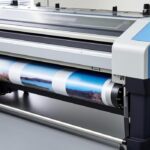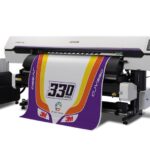

Maintaining optimal performance in latex printing setups requires a proactive approach to preventing ink blockages. Clogs can disrupt production, degrade print quality, and increase maintenance costs. By understanding the causes and implementing proven strategies, print operators can keep their equipment running smoothly and extend the life of their printers.
This guide covers practical steps for minimizing ink buildup, regular maintenance routines, and best practices tailored to latex technology. Whether you’re running a busy print shop or managing in-house signage, these tips will help you achieve consistent results and avoid unnecessary downtime.
For those interested in the durability of latex prints, you can find more information in the how long latex prints last resource, which provides insight into lifespan and care.
Understanding Why Ink Clogging Happens in Latex Printers
Latex printers use water-based inks combined with latex polymers, which are designed for flexibility and environmental friendliness. However, these inks can dry quickly if left idle, leading to blockages in the printhead nozzles. Factors such as environmental conditions, infrequent use, and improper storage of consumables can accelerate this process.
- Drying of ink in the printhead when the printer sits unused for extended periods.
- Accumulation of dust or debris within the ink delivery system.
- Use of expired or incompatible ink cartridges.
- Environmental factors like low humidity or excessive heat.
By addressing these root causes, you can significantly reduce the risk of ink blockages and maintain consistent print quality.
Essential Maintenance to Prevent Ink Blockages
Regular upkeep is the most effective defense against clogs. Here are key maintenance tasks that every latex printer operator should perform:
- Run automatic cleaning cycles as recommended by the printer manufacturer. Most modern latex printers feature built-in routines that flush the printheads and keep nozzles clear.
- Inspect and replace consumables such as ink cartridges and maintenance cartridges before they reach the end of their service life. Using fresh supplies helps ensure consistent ink flow.
- Keep the print environment clean to prevent dust and debris from entering the printer. Wipe down external surfaces and check for lint or particles near the printhead area.
- Monitor humidity and temperature in the print room. Latex inks perform best in stable, moderate conditions. Extreme dryness can cause ink to dry prematurely, while high heat may alter ink viscosity.
Adhering to these maintenance steps will help you avoid common issues and extend the lifespan of your printing equipment.
Best Practices for Minimizing Clogs in Latex Printing
Beyond routine maintenance, adopting smart operational habits can further reduce the risk of ink buildup. Consider the following recommendations:
- Print regularly to keep ink circulating through the printhead. Even running a small test print every few days can prevent ink from drying in the nozzles.
- Use high-quality, compatible inks designed for your specific printer model. Generic or expired inks may not flow properly and can leave residue behind.
- Store ink cartridges properly, away from direct sunlight and extreme temperatures. Always shake new cartridges gently before installation to ensure even pigment distribution.
- Follow proper shutdown procedures as outlined in your printer’s manual. Some printers require a specific sequence to park the printhead and seal the nozzles, protecting them from air exposure.
For additional advice on achieving vibrant results, check out these tips for vibrant latex prints that can help you optimize both color and reliability.
Advanced Tips for Reducing Ink Clogging Risks
For print environments with high throughput or challenging conditions, consider these advanced strategies:
- Schedule deep cleaning at regular intervals, especially after large print runs or periods of inactivity. Manual cleaning kits and swabs can help remove stubborn residue from printheads.
- Calibrate your printer and monitor regularly to ensure accurate color and ink delivery. Using a calibration tool can help maintain consistency and reduce the chance of ink settling in the nozzles.
- Update printer firmware and software as recommended by the manufacturer. Updates often include improvements to cleaning cycles and ink management.
- Choose the right media for your jobs. Some substrates may interact differently with latex inks, affecting drying and ink flow. For more on this, see the latex printing drying process guide.
Comparing Latex Printing to Other Digital Printing Methods
Understanding the unique characteristics of latex printing can help you implement the most effective maintenance routines. Unlike solvent or UV-curable systems, latex printers rely on water-based chemistry, which makes them less prone to harsh chemical buildup but more sensitive to environmental factors.
For a detailed comparison of latex and other digital printing technologies, see this overview of latex printing versus digital printing.
How Environmental Factors Affect Ink Flow
The surrounding environment plays a significant role in the performance of latex printers. Low humidity can cause ink to dry faster, increasing the risk of clogs. Conversely, high humidity may slow drying and affect print sharpness. Maintaining a stable climate in your print room is essential for optimal results.
Additionally, airborne dust and static electricity can contribute to ink buildup and nozzle blockages. Using air purifiers and anti-static mats can help minimize these risks.
Frequently Asked Questions
What are the first signs of ink clogging in latex printers?
Early indicators include streaks, missing lines, or color inconsistencies in prints. If you notice these issues, run a nozzle check and cleaning cycle promptly to prevent further buildup.
How often should I perform maintenance on my latex printer?
Follow the manufacturer’s recommendations, but generally, weekly cleaning cycles and daily checks for dust or debris are advised. More frequent maintenance may be needed in high-volume environments.
Can using third-party inks increase the risk of clogs?
Yes, non-OEM inks may not be formulated for your printer’s specific requirements, which can lead to improper flow and increased residue. Always use inks recommended by your printer’s manufacturer for best results.
Is there a way to improve printhead longevity?
Regular cleaning, using high-quality inks, and maintaining a clean, climate-controlled environment will all help extend the life of your printheads and reduce the likelihood of clogs.
Conclusion
Preventing ink blockages in latex printing systems is a matter of consistent maintenance, smart operational habits, and attention to environmental conditions. By following the strategies outlined above, you can keep your printer running efficiently and produce high-quality prints with minimal interruptions.
For further reading on optimizing print quality, explore topics like the best resolution for latex printing and the weather resistance of latex prints for outdoor applications.