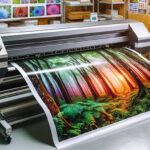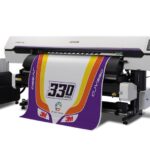

Achieving top-notch results with a latex printer depends on more than just the machine itself. The right configuration of print settings is crucial for producing vibrant colors, sharp details, and long-lasting prints. Whether you’re new to latex printing or looking to refine your workflow, understanding how to choose latex printer settings can make a significant difference in the quality of your output.
This guide explores the key factors that influence print quality, from media selection and color management to ink density and curing temperatures. By the end, you’ll have a practical roadmap to optimize your latex printer for a variety of projects and substrates. For those just starting out, you might also find value in this introduction to latex printing, which covers the basics of the technology and its advantages.
Understanding the Basics of Latex Printing
Latex printers use water-based inks that are cured with heat, making them suitable for a wide range of materials and applications. The flexibility and eco-friendliness of this technology have made it a popular choice for signage, banners, wallpapers, and more. However, the versatility of latex printing also means that settings must be carefully tailored to each job.
Before diving into specific adjustments, it’s important to recognize that every print job is unique. Factors such as substrate type, image resolution, and environmental conditions all play a role in determining the optimal configuration. For a deeper understanding of the durability and performance of these prints, see this resource on how durable is latex printing.
Key Factors When Selecting Latex Printer Settings
The process of choosing the right latex printer settings involves several critical steps. Here are the main considerations to keep in mind:
- Media Type: Always select the correct media profile in your printer’s RIP software. Each material—vinyl, canvas, paper, or fabric—has unique requirements for ink absorption and curing.
- Print Mode and Resolution: Higher resolutions (measured in dpi) yield finer detail but may increase print time and ink usage. Match the resolution to the intended viewing distance and application.
- Ink Density: Adjusting ink limits prevents oversaturation, which can cause smudging or color bleeding. Test different densities to find the balance between vibrancy and material compatibility.
- Temperature and Curing: Proper curing ensures inks are fully set, enhancing durability and scratch resistance. Too little heat can lead to tacky prints, while excessive heat may warp sensitive substrates.
- Color Management: Use ICC profiles and calibrate your monitor to achieve accurate color reproduction. This step is essential for brand consistency and professional results.
Step-by-Step Guide to Optimizing Print Quality
1. Start with the Right Media Profile
Every substrate reacts differently to latex inks. Most printers come with a library of media profiles, but you can often download or create custom profiles for specialty materials. Selecting the correct profile ensures that ink limits, temperature, and vacuum settings are automatically optimized for the chosen substrate.
2. Calibrate Your Monitor and Printer
Accurate color begins with a well-calibrated monitor. Use a calibration tool to ensure what you see on screen matches the printed output. Many professionals rely on devices like the Datacolor SpyderPro for this purpose. Additionally, regularly calibrate your printer using built-in tools or spectrophotometers to maintain consistent color over time.
3. Adjust Print Resolution and Passes
For high-detail graphics, select a higher dpi and increase the number of passes. This allows for more precise ink placement and smoother gradients. For large banners or signage viewed from a distance, a lower resolution may be sufficient and will speed up production.
4. Fine-Tune Ink Density and Overcoat
Too much ink can cause issues like pooling or smudging, especially on non-absorbent materials. Use test prints to find the ideal ink limit. Some printers also allow you to apply an overcoat for added protection, which is useful for outdoor or high-touch applications.
5. Set the Correct Curing Temperature
The curing process is vital for latex inks. Refer to the media manufacturer’s guidelines for recommended temperatures. If you notice prints are sticky or easily scratched, increase the curing temperature slightly. If the substrate is warping, lower the heat or reduce dwell time.
Advanced Tips for Consistent Results
- Test Before Full Production: Always run a small test print when working with new materials or settings. This helps catch issues before wasting time and resources.
- Monitor Environmental Conditions: Humidity and temperature in your print room can affect ink drying and substrate behavior. Maintain a stable environment for best results.
- Regular Maintenance: Clean printheads and perform routine checks to avoid banding or color inconsistencies. For more on this, see the guide on how to maintain a latex printer.
- Use Quality Inks and Media: Genuine latex inks and certified substrates reduce the risk of print failures and ensure optimal performance.
Common Mistakes to Avoid
- Ignoring Media Profiles: Using a generic or incorrect profile can lead to poor adhesion, color shifts, or even damage to the substrate.
- Overloading Ink: More ink doesn’t always mean better color. Excessive ink can cause drying issues and muddy details.
- Skipping Calibration: Failing to calibrate your monitor or printer can result in mismatched colors and wasted materials.
- Improper Curing: Not allowing enough time or heat for curing can affect print durability, especially for outdoor applications.
Resources for Further Learning
For those interested in the environmental impact and sustainability of this technology, explore more about eco friendly latex printing. If you want to know whether these prints are suitable for outdoor use, check out this guide on latex printing waterproofing.
For a broader overview of the technology and its applications, this article on latex printers and their business benefits provides useful insights.
Frequently Asked Questions
What Is the Most Important Setting for Latex Print Quality?
The media profile is often the most critical setting. It determines how much ink is laid down, the curing temperature, and other variables specific to the substrate. Always match the profile to your material for the best results.
How Often Should I Calibrate My Latex Printer?
Regular calibration is recommended—ideally once a month or whenever you notice color inconsistencies. Calibration ensures that colors remain accurate and consistent across different print jobs.
Can I Use Generic Inks or Media with My Latex Printer?
While it’s possible to use third-party supplies, genuine inks and certified media are designed to work seamlessly with your printer’s settings. Using non-certified products may affect print quality and durability.