
Achieving outstanding results with latex printing requires more than just a high-end printer and quality media. Many print professionals and businesses seek ways to enhance the sharpness, color accuracy, and durability of their latex prints. Whether you’re producing banners, wallpapers, textiles, or fine art, understanding the right methods and adjustments can make a significant difference in the final output.
This guide explores proven strategies and expert insights to help you get the most out of your latex printer. From proper file preparation to environmental controls and maintenance, you’ll find actionable steps to elevate your print production. If you’re interested in specialized applications, such as latex printing for banners or printing on canvas with latex printer, these techniques will also support your efforts in those areas.
Understanding the Factors That Influence Latex Print Results
To consistently achieve high-quality latex prints, it’s essential to recognize the variables that impact output. These include the printer’s hardware, ink formulation, media type, environmental conditions, and the accuracy of your color management workflow. Each of these elements can either enhance or diminish the clarity, vibrancy, and consistency of your prints.
- Printer Calibration: Regularly calibrate your printer to ensure color fidelity and sharpness.
- Ink Quality: Use genuine latex inks to avoid color shifts and premature fading.
- Media Compatibility: Select media specifically designed for latex technology for optimal adhesion and finish.
- Environmental Control: Maintain stable temperature and humidity in your print area to prevent warping or ink drying issues.
For a deeper dive into how latex technology works and its advantages, you can explore this comprehensive overview of latex printers.
File Preparation: The Foundation of Crisp Latex Prints
One of the most overlooked aspects of enhancing latex print output is proper file preparation. High-resolution images, correct color profiles, and vector graphics (when possible) are essential for achieving sharp, detailed results.
- Always use images at 150–300 dpi at final print size to avoid pixelation.
- Embed or convert fonts to outlines to prevent font substitution issues.
- Apply the correct ICC color profile for your printer and media combination.
- Save files in print-ready formats such as PDF/X or TIFF to preserve quality.
For those working with unique substrates, such as printing on fabrics with latex inks, file setup becomes even more critical to ensure accurate reproduction of colors and details.

Printer Settings and Media Handling for Superior Output
Fine-tuning your printer’s settings is a direct way to boost latex print quality. Start by selecting the correct media profile in your RIP (Raster Image Processor) software. This ensures that ink laydown, curing temperature, and print speed are optimized for the chosen substrate.
- Choose the media preset that matches your print material for accurate color and drying.
- Adjust print mode (resolution and pass count) based on the required quality and speed.
- Perform regular nozzle checks and printhead alignments to maintain image sharpness.
- Use the printer’s built-in color calibration tools for consistent results across jobs.
When working with specialty applications like latex printing on wallpaper, proper media handling and correct printer settings are crucial for avoiding banding, color inconsistencies, and adhesion problems.
Color Management: Achieving Accurate and Vibrant Results
Effective color management is essential for producing prints that match your expectations. Calibrate your monitor using a reliable device to ensure what you see on screen matches the final output. Use printer and media-specific ICC profiles, and soft-proof your files before sending them to print.
- Calibrate your monitor regularly to maintain color accuracy.
- Install and apply ICC profiles tailored for your printer, ink, and media combination.
- Use soft-proofing in your design software to preview how colors will appear when printed.
- Perform periodic color checks and re-calibrate as needed to account for ink or media changes.
Environmental Controls and Maintenance for Consistent Quality
The environment in which you print can have a significant impact on output. Latex printers are sensitive to temperature and humidity, which can affect ink curing and media flatness. Maintain your print room within the manufacturer’s recommended range for best results.
- Keep temperature and humidity stable to prevent ink drying issues and media warping.
- Store media in its original packaging until use to avoid exposure to dust and moisture.
- Clean printheads and perform routine maintenance as specified by your printer’s manual.
- Replace consumables, such as ink cartridges and maintenance kits, before they reach end-of-life to avoid quality drops.
Special Considerations for Different Applications
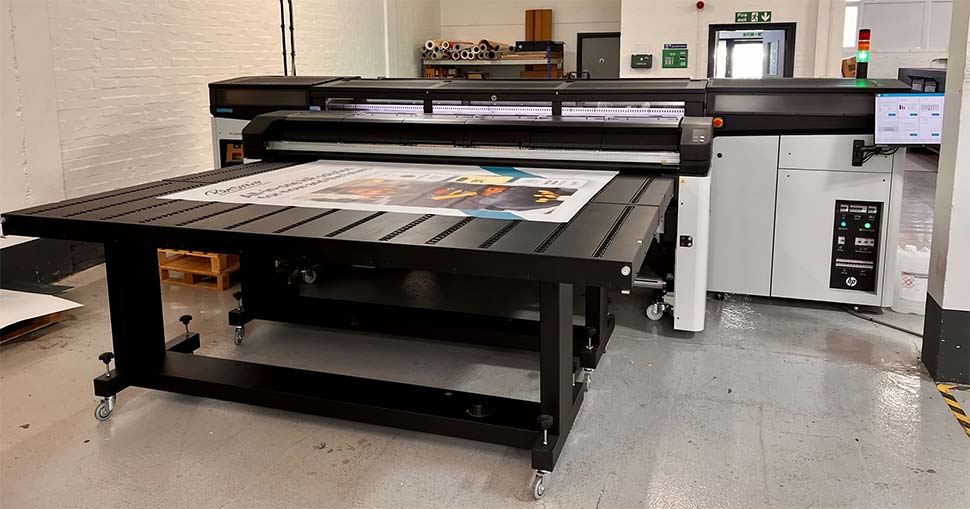
Different print jobs may require unique approaches. For example, printing on textiles with latex printers involves considerations such as fabric stretch, ink absorption, and finishing processes. For rigid materials or backlit graphics, you may need to adjust ink density and curing settings.
- Test new media types with small print runs before full production.
- Adjust curing temperatures for thick or specialty substrates to avoid over- or under-curing.
- Consult media manufacturer guidelines for best practices on handling and finishing.
Frequently Asked Questions
What are the most common causes of poor latex print quality?
The most frequent issues include incorrect media profiles, low-resolution files, improper printer calibration, expired inks, and unsuitable environmental conditions. Addressing these factors can resolve most print quality problems.
How often should I calibrate my latex printer and monitor?
It’s recommended to calibrate your printer and monitor at least once a month, or whenever you change media, inks, or notice color inconsistencies. Regular calibration ensures consistent and accurate color reproduction.
Can I use third-party inks to save costs?
While third-party inks may reduce upfront expenses, they can compromise print quality, color accuracy, and even void your printer’s warranty. For the best results, always use inks recommended by your printer’s manufacturer.
How can I prevent banding and streaks in my latex prints?
Banding and streaks are often caused by clogged nozzles, misaligned printheads, or incorrect print settings. Regular maintenance, proper media selection, and using the correct print mode can minimize these issues.
Conclusion: Achieving Professional Results With Latex Printing
Improving the outcome of your latex prints is a matter of attention to detail, from file preparation and color management to printer maintenance and environmental control. By applying the expert techniques outlined in this article, you can consistently produce sharp, vibrant, and durable prints that stand out in any application.
For more tips and best practices on specific substrates and advanced techniques, explore related guides on this site, such as those covering latex printing for banners and printing on canvas with latex printer. With the right approach, your latex printer can deliver exceptional results across a wide range of projects.