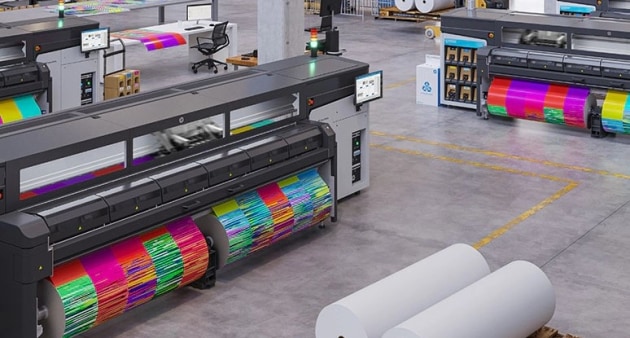

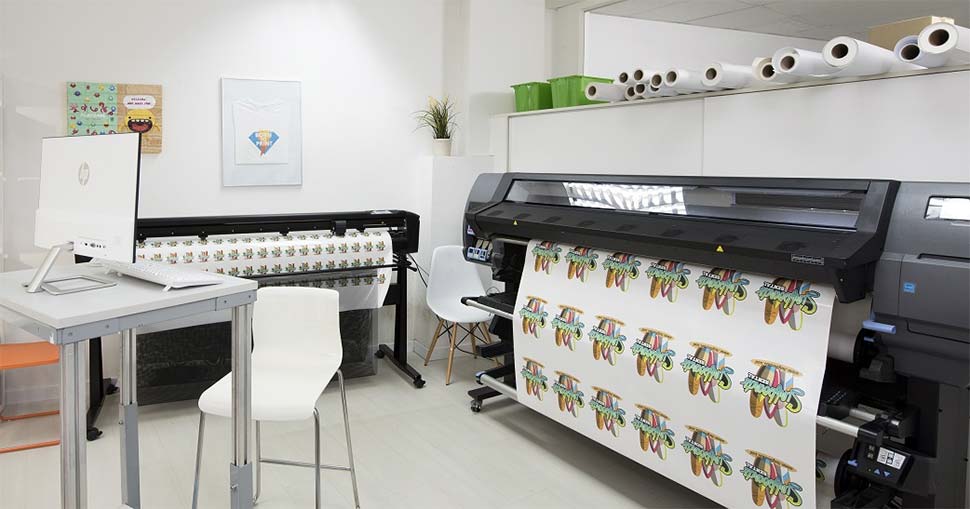
Getting started with latex printing can feel overwhelming, especially if you’re new to wide-format or professional printing. Understanding the latex printer basics is crucial for anyone looking to achieve high-quality, durable prints while maintaining efficiency and sustainability. This guide covers the core concepts, setup steps, maintenance tips, and best practices to help first-time users gain confidence and maximize their investment.
Latex printers are increasingly popular in commercial and creative environments due to their versatility, eco-friendly features, and ability to produce vibrant, long-lasting prints on a wide range of materials. Whether you’re setting up your first machine or transitioning from other printing technologies, knowing the essentials will help you avoid common pitfalls and get the most from your equipment.
For those interested in a deeper dive into the technology, the article latex printing technology offers a comprehensive look at the innovations powering today’s devices.
What Makes Latex Printing Unique?
Unlike solvent or UV printers, latex machines use water-based inks combined with latex polymers. This combination results in prints that are both flexible and highly resistant to scratches, fading, and environmental factors. The process is considered more environmentally responsible, as it emits fewer volatile organic compounds (VOCs) and often requires no special ventilation.
- Versatility: Print on vinyl, canvas, textiles, paper, and more.
- Eco-Friendly: Water-based inks mean lower emissions and safer handling.
- Instant Drying: Prints come out dry and ready for finishing or installation.
- Durability: Resistant to water, UV, and abrasion, making them ideal for indoor and outdoor use.
To understand how this process compares to other methods, see the detailed breakdown in difference between latex and solvent printing.
Setting Up Your First Latex Printer
Proper setup is the foundation for reliable performance and print quality. Here’s a step-by-step overview for first-time users:
- Unpack and Inspect: Carefully remove the printer from its packaging, checking for any visible damage or missing components.
- Positioning: Place the printer on a stable, level surface with adequate space for media loading and maintenance access. Ensure the environment is dust-free and within the recommended temperature and humidity range.
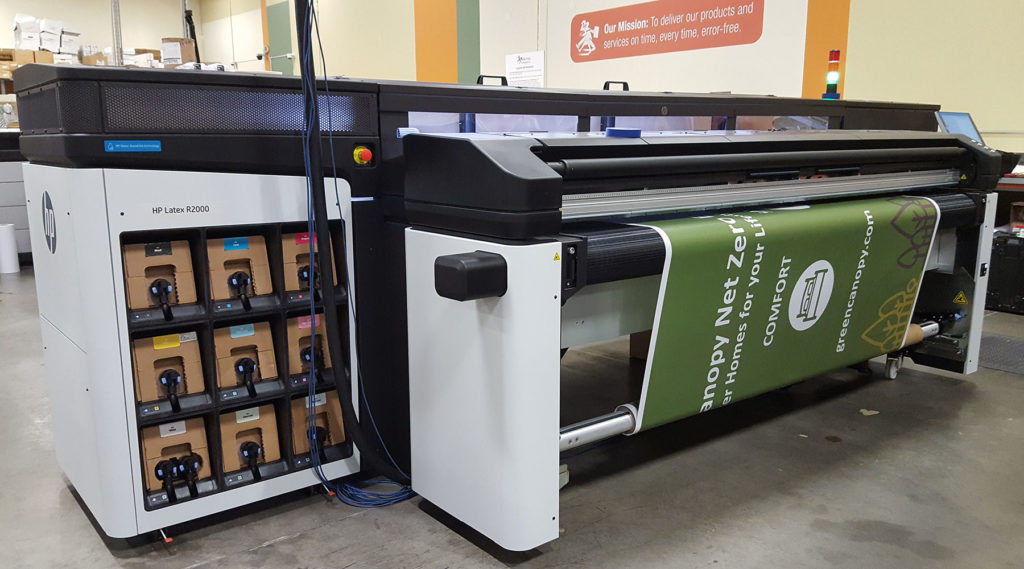
- Install Inks and Printheads: Insert the latex ink cartridges and printheads as directed by the manufacturer. Use only compatible supplies to avoid damage and maintain warranty coverage.
- Load Media: Select the appropriate media type and load it according to the printer’s instructions. Adjust the media guides and tension settings for optimal feeding.
- Connect to Power and Network: Plug in the printer and connect it to your computer or network. Many latex printers support both USB and Ethernet connections for flexibility.
- Install Drivers and Software: Download and install the latest drivers and RIP (Raster Image Processor) software. This ensures compatibility and access to advanced color management features.
- Run Initial Calibration: Perform printhead alignment and color calibration to guarantee accurate output from the start.
Understanding Ink and Media Handling
One of the most important aspects of latex printer basics is ink and media management. Latex inks are designed to work with a wide range of substrates, but each material may require specific settings for optimal results.
- Ink Storage: Store cartridges in a cool, dry place and always check expiration dates.
- Media Profiles: Use manufacturer-provided or custom media profiles to ensure accurate color reproduction and adhesion.
- Handling Prints: Although latex prints are dry immediately, handle them with care to avoid fingerprints or creasing, especially on delicate materials.
- Waste Management: Dispose of empty cartridges and maintenance supplies according to local regulations for environmental safety.
For a more detailed explanation of how the process works, how latex printing works provides a clear overview of each stage from ink application to curing.
Maintenance and Troubleshooting Tips
Regular maintenance is essential for consistent performance and longevity. Here are some practical tips for keeping your latex printer in top condition:
- Daily Checks: Inspect printheads and clean them as recommended to prevent clogs and streaks.
- Update Firmware: Keep your printer’s firmware and software up to date for improved features and bug fixes.
- Monitor Environmental Conditions: Maintain stable temperature and humidity to avoid print defects.
- Replace Consumables Promptly: Change maintenance cartridges, wipers, and other consumables as indicated by the printer’s alerts.
- Document Issues: If you encounter recurring problems, keep a log and consult the manufacturer’s support resources.
Best Practices for Quality and Efficiency
To get the best results from your latex printer, follow these best practices:
- Calibrate Regularly: Use a monitor calibrator and printer calibration tools to maintain color accuracy.
- Choose the Right Media: Select substrates that are certified for latex inks to avoid compatibility issues.
- Optimize Print Settings: Adjust resolution, ink density, and curing temperature based on the job requirements.
- Schedule Preventive Maintenance: Don’t wait for problems; follow the manufacturer’s maintenance schedule.
- Stay Informed: Read up on new techniques and product updates. The article what is latex printing is a helpful resource for beginners.
For more insights on the advantages and practical benefits of this technology, check out this overview of latex printing benefits from industry experts.
Frequently Asked Questions
What materials can I print on with a latex printer?
Latex printers are compatible with a wide range of materials, including vinyl, canvas, paper, textiles, wallpaper, and certain types of film. Always check the media manufacturer’s recommendations for compatibility with latex inks.
How do latex printers compare to solvent printers?
Latex printers use water-based inks, which are more environmentally friendly and safer to handle than solvent inks. They also produce prints that are dry immediately and suitable for both indoor and outdoor use. For a detailed comparison, see the difference between latex and solvent printing.
How often should I perform maintenance on my latex printer?
Routine maintenance should be performed according to the manufacturer’s guidelines. This typically includes daily printhead checks, regular cleaning, and timely replacement of consumables. Following a consistent maintenance schedule helps prevent downtime and ensures print quality.