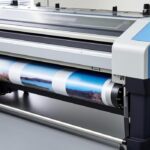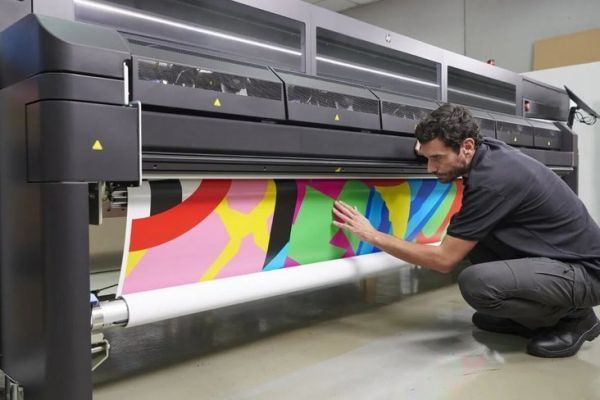

Maintaining consistent print quality is essential for any latex printing operation. One of the most effective ways to ensure your output remains sharp and vibrant is by performing a nozzle check for latex printers on a regular basis. This preventive step helps you identify and resolve issues such as banding, color shifts, or missing lines before they impact your production schedule or customer satisfaction.
In this guide, you’ll learn why nozzle checks matter, how often to perform them, and a step-by-step process for carrying out this important maintenance task. Whether you’re new to latex printing or looking to refine your workflow, understanding nozzle checks will help you achieve reliable, high-quality results.
For those interested in the durability of their prints, you can also explore how long latex prints last to better understand the lifespan of your finished products.
Understanding Nozzle Checks and Their Importance
A nozzle check for latex printers is a diagnostic print pattern that reveals the condition of your printheads. By printing a test pattern, you can quickly see if any nozzles are clogged or misfiring. This is crucial because even a small blockage can result in streaks, color inconsistencies, or reduced sharpness in your final output.
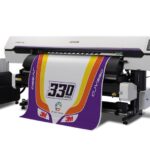
Latex printers, such as those using HP’s water-based latex inks, rely on precise droplet placement. Over time, dried ink or dust can partially block nozzles, leading to print defects. Regularly checking and cleaning nozzles helps maintain optimal performance and extends the life of your printheads.
If you’re curious about the underlying technology, you can read more about how latex printing works and its unique benefits.
When Should You Perform a Nozzle Check?
The frequency of nozzle checks depends on your print volume, environment, and the specific printer model. However, some general guidelines can help you establish a routine:
- Before large or critical print jobs: Always check nozzles to avoid wasting media and ink on defective prints.
- After periods of inactivity: If your printer has been idle for more than a day, a quick nozzle check can prevent surprises.
- When changing inks or media: New cartridges or different substrates can sometimes affect nozzle performance.
- At regular intervals: Many print shops perform daily or weekly checks as part of their maintenance schedule.
Consistent nozzle checks are especially important if you want to achieve tips for vibrant latex prints and maintain high-impact color output.
How to Run a Nozzle Check on Latex Printers
The process for running a nozzle check may vary slightly depending on your printer brand and model, but the overall steps are similar. Here’s a general workflow to follow:
- Access the Maintenance Menu: On your printer’s control panel, navigate to the maintenance or tools section. Look for an option labeled “Nozzle Check,” “Printhead Check,” or similar.
- Load Media: Ensure you have suitable media loaded—plain paper or test media is usually sufficient.
- Initiate the Test: Select the nozzle check function. The printer will print a test pattern, often a grid or series of colored lines.
- Inspect the Pattern: Examine the printed pattern closely. Look for gaps, broken lines, or missing colors, which indicate clogged or misfiring nozzles.
- Run Cleaning Cycles if Needed: If you spot issues, follow your printer’s prompts to run a cleaning cycle. After cleaning, repeat the nozzle check to confirm improvement.
- Document and Monitor: Keep a log of nozzle checks and cleanings. If problems persist, it may be time to replace the printhead or consult technical support.
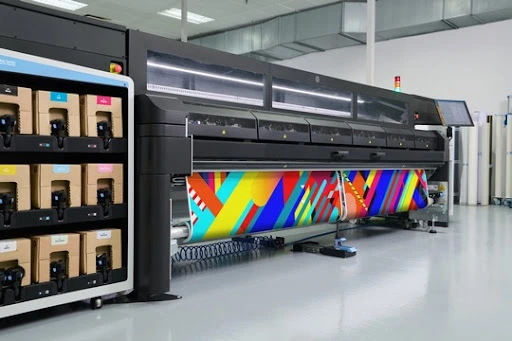
Common Issues Revealed by Nozzle Checks
Performing a nozzle check for latex printers can reveal several common problems:
- Clogged Nozzles: Gaps or missing lines in the test pattern indicate blockages. Prompt cleaning is required.
- Color Shifts: If colors appear faded or incorrect, some nozzles may not be firing properly.
- Banding: Horizontal stripes across prints often result from partial nozzle blockages.
- Ink Droplets or Smudges: Excess ink or contamination can cause unwanted marks on the test pattern.
Addressing these issues early helps prevent wasted materials and ensures your prints meet client expectations. For more on achieving optimal results, see advice on the best resolution for latex printing.
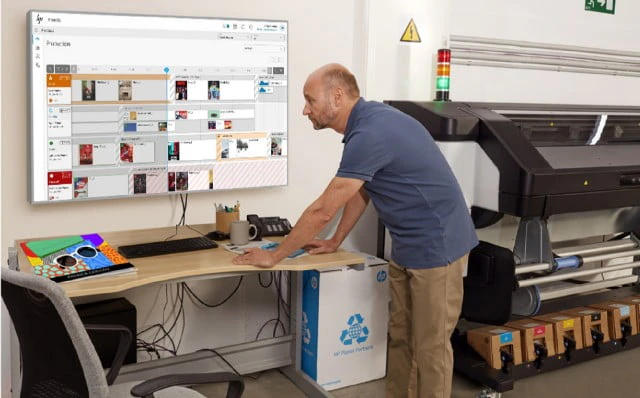
Tips for Consistent Print Quality and Maintenance
To get the most from your latex printer and reduce downtime, follow these best practices:
- Keep the Printer in a Clean Environment: Dust and debris can contribute to nozzle clogs.
- Use Genuine Inks and Media: Third-party supplies may not perform as reliably as OEM products.
- Monitor Humidity and Temperature: Latex printers perform best within recommended environmental ranges.
- Schedule Regular Maintenance: In addition to nozzle checks, follow your printer’s maintenance schedule for cleaning and calibration.
- Stay Informed: For more on the latex printing drying process and how it affects output, review manufacturer guidelines and industry resources.
Frequently Asked Questions
How often should I perform a nozzle check on my latex printer?
Most print professionals recommend checking nozzles daily if you print frequently, or at least before starting any important job. If your printer sits idle for more than a day, a quick check helps prevent issues from dried ink.
What should I do if the nozzle check pattern shows missing lines?
If you notice gaps or missing lines, run your printer’s cleaning cycle as instructed in the user manual. Repeat the nozzle check afterward. Persistent issues may require additional cleaning or even printhead replacement.
Can environmental factors affect nozzle performance?
Yes, factors like dust, humidity, and temperature can impact nozzle health. Keeping your workspace clean and maintaining stable environmental conditions will help minimize clogs and ensure consistent results.
Is it safe to use third-party inks for latex printers?
While some third-party inks are compatible, using genuine manufacturer cartridges is recommended for optimal performance and to avoid voiding your warranty. Always check your printer’s guidelines before switching supplies.
Conclusion
Regular nozzle check for latex printers is a simple yet powerful tool for maintaining print quality and extending the life of your equipment. By incorporating nozzle checks into your workflow, you can catch issues early, reduce waste, and deliver consistent, professional results. For those printing outdoors, understanding the weather resistance of latex prints can also help you set client expectations and choose the right materials for each project.
Stay proactive with your maintenance routine, and your latex printer will reward you with reliable, high-quality prints for years to come.