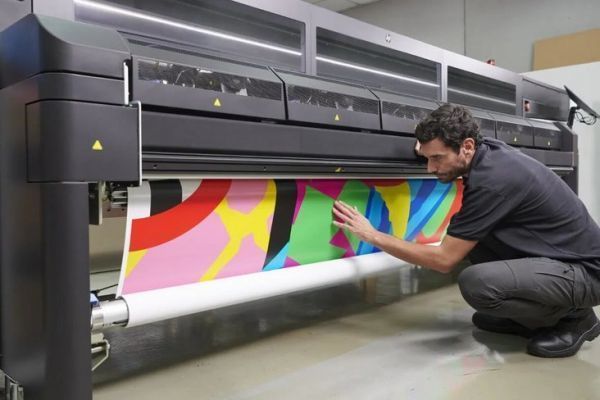

Achieving outstanding results with latex printers depends on a combination of factors, but temperature settings for latex printing are among the most critical. The right thermal profile ensures vibrant colors, sharp details, and durable prints, while minimizing issues like ink bleeding or substrate warping. Whether you’re new to latex technology or looking to refine your process, understanding how to manage heat during production is essential for consistent, professional output.
This guide covers optimal heat configurations, how they affect different materials, and practical tips for troubleshooting common problems. If you’re interested in broader applications, you might also find value in our resource on latex printing for banners, which explores best practices for large-format signage.
Understanding Heat Management in Latex Printing
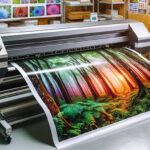
Latex printers use water-based inks that require precise drying and curing to bond properly to substrates. The process typically involves three main heating zones:
- Pre-heat: Warms the substrate before ink is applied, aiding adhesion.
- Print zone heat: Maintains optimal temperature during ink deposition for smooth flow and dot placement.
- Curing (post-heat): Evaporates water and sets the latex polymer, ensuring durability and scratch resistance.
Each of these zones can be adjusted independently on most modern latex machines, allowing for fine-tuning based on material and job requirements.
Recommended Temperature Ranges for Common Substrates
The ideal temperature settings for latex printing vary depending on the substrate. Below is a practical reference table for popular materials:
| Material | Pre-heat (°C) | Print Zone (°C) | Curing (°C) |
|---|---|---|---|
| Self-adhesive Vinyl | 35–45 | 40–50 | 90–110 |
| Banner PVC | 30–40 | 35–45 | 90–100 |
| Photo Paper | 25–35 | 30–40 | 80–95 |
| Textile/Fabric | 30–40 | 35–45 | 80–90 |
| Wallpaper | 25–35 | 30–40 | 70–85 |
These ranges are starting points—always consult your substrate manufacturer’s recommendations and run test prints to fine-tune for your specific environment.
How Temperature Affects Print Quality and Durability
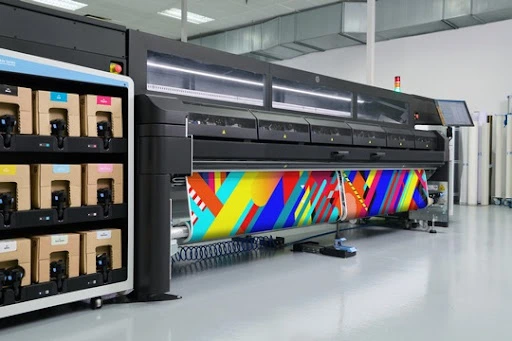
Proper heat management is crucial for both the appearance and longevity of latex prints. If the temperature is too low, ink may not dry completely, resulting in smudging, dull colors, or poor adhesion. Excessive heat, on the other hand, can cause substrate deformation, color shifts, or even burning—especially on sensitive materials like thin films or certain textiles.
For specialty applications, such as printing on canvas with latex printer or latex printing on wallpaper, dialing in the right heat profile is even more important. These surfaces often require lower curing temperatures to prevent warping or color distortion.
Tips for Setting and Adjusting Heat Profiles
- Start with Manufacturer Presets: Most latex printers come with built-in profiles for common substrates. Use these as a baseline.
- Test and Observe: Run small test prints and check for signs of improper drying (sticky surface, dullness) or overheating (curling, discoloration).
- Adjust in Small Increments: Change one zone at a time (pre-heat, print, or curing) by 5°C and observe the impact before making further changes.
- Consider Ambient Conditions: Room temperature and humidity can affect drying. In cooler or more humid environments, you may need to increase heat slightly.
- Monitor for Consistency: Once you find the optimal settings, document them for future jobs to ensure repeatable results.
For those working with textiles, our article on printing on fabrics with latex inks provides additional guidance on balancing heat and material sensitivity.

Common Issues and Troubleshooting
Even with careful setup, you may encounter challenges related to heat management. Here are some frequent problems and solutions:
- Ink Not Drying: Increase curing temperature or slow down print speed to allow more time in the heater.
- Substrate Warping: Lower the pre-heat or curing temperature, especially for thin or heat-sensitive materials.
- Color Fading or Shifts: Double-check that the curing temperature is not too high, which can degrade pigments.
- Edge Curling: Reduce pre-heat and ensure even airflow in the curing zone.
For more background on how latex technology works, see this comprehensive explanation of latex printing.
Best Practices for Consistent Results
- Regular Maintenance: Clean heating elements and fans to prevent uneven temperature distribution.
- Calibrate Sensors: Use a monitor calibrator to ensure color accuracy and consistent output across jobs.
- Record Settings: Keep a log of successful heat profiles for different substrates and conditions.
- Stay Updated: Check for firmware updates or new profiles from your printer manufacturer.
- Consult Material Guides: Reference resources like our guide on printing on textiles with latex printers for substrate-specific advice.
FAQ
What happens if the curing temperature is too low during latex printing?
If the curing zone is set too low, the ink may not fully dry or cure, leading to smudging, poor adhesion, and reduced durability. It’s important to ensure that the curing temperature is high enough for the ink to polymerize and bond with the substrate.
How do I determine the right heat settings for a new substrate?
Start with the printer’s recommended profile for similar materials, then run test prints. Observe the results for drying, color accuracy, and substrate stability. Adjust each heating zone in small increments as needed, and consult the substrate manufacturer’s guidelines whenever possible.
Can ambient temperature and humidity affect latex print quality?
Yes, environmental conditions like room temperature and humidity can impact drying times and ink adhesion. In cooler or more humid environments, you may need to increase the curing temperature slightly or reduce print speed to maintain optimal results.