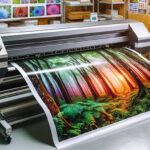

Achieving a smooth integration with design software is essential for professionals who rely on latex printers for high-quality, large-format output. Whether you’re producing banners, signage, or fine art prints, connecting your creative tools directly to your printing hardware can streamline workflows, improve color accuracy, and reduce costly errors. This guide explores practical steps and best practices for connecting latex printers to popular design platforms, ensuring your print production is both efficient and reliable.
As the print industry evolves, understanding the nuances of digital workflows becomes increasingly important. From color management to file preparation, each stage impacts the final result. For those interested in the technical aspects of print longevity and performance, our detailed article on how long latex prints last provides valuable insights into durability and maintenance.
Understanding the Role of Design Software in Print Production
Modern design applications such as Adobe Illustrator, Photoshop, and CorelDRAW are at the heart of digital print creation. These platforms allow for precise control over artwork, color profiles, and file formats. When paired with latex printers, the right integration with design software can eliminate bottlenecks and ensure that what you see on screen matches what comes out of the printer.
The key to effective workflow lies in compatibility. Most latex printers support industry-standard file types like PDF, TIFF, and JPEG, but leveraging native print plugins or RIP (Raster Image Processor) software can further enhance the connection between your design environment and the printer. This not only simplifies the print process but also helps maintain color fidelity and resolution.
Preparing Files for Latex Printing: Best Practices
Proper file preparation is a cornerstone of successful print projects. Here are some essential steps to follow:
- Color Management: Use ICC profiles tailored for your printer and media. This ensures accurate color reproduction and minimizes surprises.
- Resolution Settings: For sharp, detailed output, set your artwork resolution according to the printer’s capabilities. For guidance, see our tips on best resolution for latex printing.
- Bleed and Margins: Add appropriate bleed and safe zones to prevent unwanted cropping or white edges.
- File Formats: Save files in formats recommended by your printer or RIP software, typically PDF/X or high-quality TIFF.
Taking the time to set up your files correctly can save hours of troubleshooting and reprints. Many design programs offer built-in presets for print production—use these as a starting point and adjust as needed for your specific latex printer model.

Connecting Latex Printers to Your Creative Workflow
Establishing a direct link between your design software and latex printer can be achieved in several ways:
- Printer Drivers and Plugins: Many manufacturers provide dedicated drivers or plugins that allow you to print directly from your design application. These tools often include advanced options for media selection, print quality, and color management.
- RIP Software: A RIP acts as a bridge between your creative files and the printer, offering enhanced control over layout, nesting, and color calibration. Popular RIPs are compatible with most major design platforms and can automate repetitive tasks.
- Network Integration: Connecting your printer via Ethernet or Wi-Fi enables multiple users to send jobs from different workstations, streamlining team collaboration.
For those new to latex technology or seeking to understand the differences between printing methods, this comprehensive comparison of latex and digital printing offers a helpful overview.
Optimizing Color Accuracy and Print Quality
One of the primary challenges in digital printing is ensuring that on-screen colors match the final print. To optimize results:
- Monitor Calibration: Regularly calibrate your monitor using a dedicated device to ensure color consistency from design to output.
- Proofing: Print small test samples to verify color and detail before committing to full production runs.
- Media Profiles: Use or create custom ICC profiles for each substrate you print on, as different materials can affect color and ink absorption.
For additional advice on producing vivid, high-impact prints, see our expert tips for vibrant latex prints.
Workflow Automation and Advanced Features
As production demands grow, automating repetitive tasks can save significant time and reduce errors. Many RIPs and print management tools offer features such as:
- Job Queuing: Schedule multiple print jobs and prioritize urgent tasks.
- Variable Data Printing: Personalize prints with unique text or images for each copy, ideal for marketing materials.
- Automated Nesting: Arrange multiple designs on a single sheet to minimize waste and maximize efficiency.
Staying updated with the latest software versions and printer firmware ensures compatibility and unlocks new features that can further enhance your integration with design software.
Maintenance and Troubleshooting for Reliable Output
Even with seamless software integration, regular maintenance is crucial for consistent print quality. Key practices include:
- Routine Cleaning: Follow manufacturer guidelines for cleaning printheads and other critical components.
- Ink and Media Checks: Use genuine supplies and monitor ink levels to avoid interruptions.
- Software Updates: Keep both your design software and printer drivers up to date for optimal performance.
For a deeper understanding of how latex prints cure and why it matters for durability, explore our article on the latex printing drying process.
Frequently Asked Questions
What design software is best for use with latex printers?
Leading applications such as Adobe Illustrator, Photoshop, and CorelDRAW are widely used for preparing files for latex printing. Compatibility is generally strong, especially when paired with the correct printer drivers or RIP software.
How do I ensure color accuracy when printing from design software?
Calibrate your monitor regularly, use printer-specific ICC profiles, and proof your prints before running large jobs. Consistent color management across your workflow is essential for accurate results.
Can I automate print jobs from my design application?
Yes, many RIPs and print management tools allow for job automation, including queuing, nesting, and variable data printing. This can significantly improve efficiency, especially in high-volume environments.
Are there environmental benefits to using latex printers?
Latex technology is known for its eco-friendly water-based inks and low emissions. For more on performance in outdoor conditions, see our article on weather resistance of latex prints.