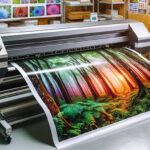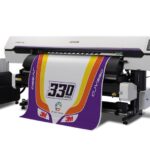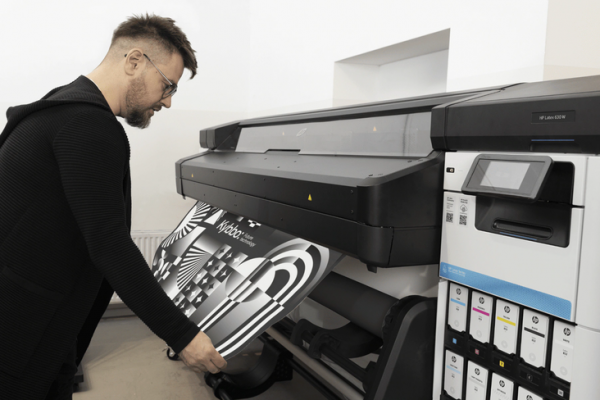

Achieving vibrant, long-lasting posters requires more than just a high-resolution image and quality paper. The technology behind your printer plays a critical role in determining the final output. Poster printing with latex printers has become a preferred method for professionals seeking exceptional color accuracy, durability, and environmental benefits. This guide explores how to optimize print quality using latex technology, covering essential setup steps, calibration, material choices, and finishing touches.
Whether you’re a print shop owner, a designer, or a business looking to produce eye-catching promotional materials, understanding the nuances of latex printing can help you deliver superior results. For those interested in expanding their knowledge of related applications, such as latex printing for banners, there are additional resources available to further enhance your expertise.
Understanding Latex Printing Technology for Posters
Latex printers utilize water-based inks containing latex polymers, which are cured using heat to create a flexible, durable print layer. This process offers several advantages over traditional solvent or eco-solvent printing, particularly for posters:
- Eco-friendly operation with low VOC emissions and odorless prints
- Fast drying times, allowing for immediate handling and finishing
- Excellent color vibrancy and consistency across large runs
- Compatibility with a wide range of media, including paper, vinyl, and textiles
These benefits make latex printers an ideal choice for producing posters that need to stand out in retail, event, or educational settings.
Preparing Artwork and Files for Optimal Results
The foundation of any high-quality poster is well-prepared artwork. Before sending your design to the printer, consider these best practices:
- Use high-resolution images (at least 150–300 DPI at final print size) to prevent pixelation.
- Convert all text to outlines and embed fonts to avoid font substitution issues.
- Set color mode to CMYK, as latex printers are optimized for this color space.
- Include bleed and crop marks as required by your finishing process.
Proper file preparation ensures that the printer can reproduce your vision accurately, minimizing the risk of unexpected color shifts or cropping errors.
Printer Calibration and Color Management
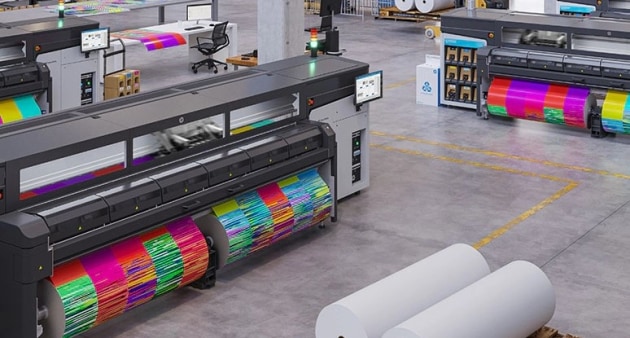
Consistent color output is crucial for professional poster production. To achieve this, regular calibration of both your monitor and latex printer is essential. Start by calibrating your monitor using a dedicated device, which helps ensure that what you see on screen matches the printed result. For those seeking reliable calibration tools, consider using a monitor calibrator for accurate color representation.
Next, calibrate your printer by creating or updating ICC profiles for your specific media and ink combination. Most latex printers include built-in color management tools, but you can also use third-party RIP software for advanced control. Regular calibration helps maintain color fidelity across different jobs and media types.
Choosing the Right Media and Inks
The choice of media has a significant impact on the look and feel of your finished poster. Latex printers support a broad array of substrates, including:
- Matte, satin, and gloss poster papers
- Photo papers for high-end photographic prints
- Textured and specialty media for unique effects
When selecting media, consider the intended use of the poster—indoor or outdoor, short-term or long-term display. Pairing the right paper with genuine latex inks ensures optimal adhesion, color saturation, and resistance to fading or scratching.
For those interested in exploring more specialized applications, such as printing on canvas with latex printer or latex printing on wallpaper, latex technology offers flexibility across diverse materials.
Printer Settings and Workflow Adjustments
Fine-tuning your printer settings is key to maximizing print quality. Here are some important considerations:
- Print mode: Select the appropriate resolution and pass count for your media and desired quality. Higher pass counts yield smoother gradients and deeper colors but may increase print time.
- Ink density: Adjust ink limits to prevent oversaturation, especially on porous papers.
- Drying temperature: Set curing temperatures according to media specifications to ensure proper ink adhesion without warping or curling.
- Edge-to-edge printing: Enable borderless printing for full-bleed posters, if supported by your printer and media.
Test prints are invaluable for dialing in these settings. Make incremental adjustments and evaluate results under consistent lighting conditions.
Finishing, Mounting, and Display Considerations
Once your poster is printed, proper finishing enhances both appearance and longevity. Common finishing steps include:
- Trimming to size using a sharp cutter or trimmer
- Laminating for added protection against moisture, UV, and abrasion
- Mounting on foam board or other rigid substrates for display
- Framing or encapsulating for premium presentation
For outdoor or high-traffic environments, lamination is especially recommended to preserve print quality. Always allow prints to cool and fully cure before handling or finishing.
Maintenance Tips for Consistent Poster Quality
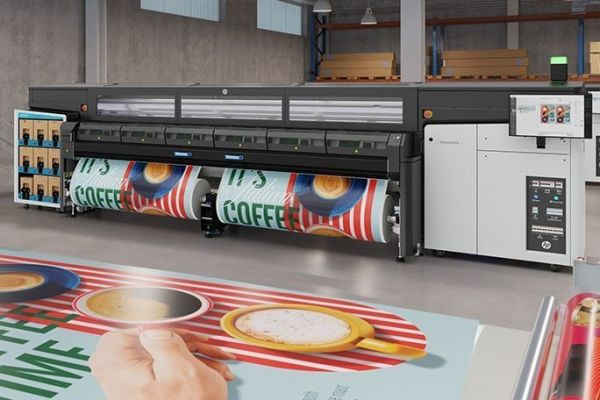
Routine maintenance of your latex printer is essential for reliable, high-quality output. Follow these guidelines:
- Perform regular printhead cleanings to prevent clogs and banding.
- Use only manufacturer-approved inks and media to avoid compatibility issues.
- Update firmware and software as recommended by the printer manufacturer.
- Store inks and media in climate-controlled environments to maintain performance.
Keeping your equipment in top condition not only extends its lifespan but also ensures that every poster meets your quality standards. For more insights on using latex technology for textiles, see printing on fabrics with latex inks and printing on textiles with latex printers.
Further Reading and Resources
To deepen your understanding of the advantages and applications of latex printing, explore this comprehensive overview of latex printing benefits. Staying informed about the latest developments in print technology can help you stay ahead in a competitive market.
Frequently Asked Questions
What are the main advantages of using latex printers for posters?
Latex printers offer eco-friendly operation, fast drying times, and vibrant color reproduction. They are compatible with a wide range of media and produce durable, odorless prints suitable for indoor and outdoor use.
How do I ensure accurate colors when printing posters?
Calibrate both your monitor and printer regularly, use ICC profiles tailored to your media and ink, and prepare artwork in the correct color space (CMYK). Test prints and color management tools help maintain consistency.
Can latex printers handle specialty poster materials?
Yes, latex technology supports a variety of substrates, including photo paper, canvas, wallpaper, and textiles. Always check media compatibility with your specific printer model and use recommended settings for best results.