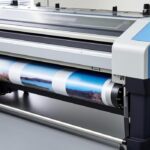
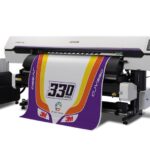
Achieving the right balance between eco solvent ink print speed and output quality is essential for print shops and businesses looking to maximize efficiency. Whether you’re running a wide-format printer for banners, signage, or custom graphics, optimizing your workflow can help reduce turnaround times and lower costs without sacrificing the vibrant, durable results eco solvent inks are known for.
This article provides practical strategies to help you fine-tune your print settings, maintain consistent quality, and get the most from your equipment. We’ll also highlight key differences between ink types and link to further resources, such as a detailed comparison of eco solvent ink vs uv ink, to help you make informed decisions for your printing needs.
Understanding Print Speed in Eco Solvent Ink Systems
The speed at which your printer operates with eco solvent inks depends on several factors, including hardware capabilities, print mode, media type, and environmental conditions. While faster speeds can boost productivity, they may also introduce issues like banding, color inconsistency, or reduced durability if not managed properly.
Eco solvent printers are designed to deliver high-quality prints on a variety of substrates, but each material and job type may require different settings to achieve optimal results. By understanding the variables that impact print speed, you can make adjustments that improve efficiency while maintaining the standards your clients expect.
Key Factors Affecting Eco Solvent Ink Print Speed
- Print Resolution: Higher DPI (dots per inch) settings produce finer detail but slow down the printing process. Lowering the resolution for less demanding jobs can significantly increase throughput.
- Pass Count: The number of passes the printhead makes over the media affects both speed and quality. Fewer passes mean faster output, but may reduce color saturation or sharpness.
- Ink Drying Time: Eco solvent inks require adequate drying, especially at higher speeds. Insufficient drying can cause smudging or poor adhesion, so balancing speed with heater settings is crucial.
- Media Type: Different substrates absorb ink at varying rates. Glossy vinyl, banner material, and canvas each respond differently, requiring tailored speed and temperature settings.
- Printer Maintenance: Clean printheads and regular calibration help maintain consistent speed and quality. Clogged nozzles or misaligned heads can slow down production and lead to reprints.
Best Practices for Faster, High-Quality Output
Optimize Print Modes and Passes
Most eco solvent printers offer multiple print modes, such as draft, standard, and high quality. For jobs where speed is the priority and ultra-fine detail isn’t required, use draft or production modes. Reducing the number of passes can double or triple your output speed, but always test to ensure the results meet your standards.
Adjust Heater and Dryer Settings
Proper drying is essential when increasing print speed. Adjust the pre-heater, platen heater, and post-heater settings to ensure ink cures quickly and adheres well to the substrate. This minimizes the risk of smudging or ink transfer, especially when handling prints immediately after production.
Choose the Right Media for Your Application
Not all materials are created equal when it comes to fast printing. Some vinyls and banners are engineered for rapid absorption and drying, making them ideal for high-speed jobs. Consult your media supplier for recommendations specific to eco solvent applications.
Regular Maintenance for Consistent Speed
Routine cleaning and calibration are vital for maintaining optimal print speeds. Blocked nozzles, ink buildup, or misaligned printheads can slow down production and compromise quality. For more on keeping your equipment in top shape, see our guide on how to avoid ink clogging in printer systems.
Advanced Tips for Maximizing Eco Solvent Ink Print Speed
Leverage RIP Software Features
Raster Image Processor (RIP) software plays a crucial role in managing print queues, color profiles, and speed settings. Use built-in features to batch jobs, nest images, and select the fastest compatible profiles for your media and ink combination.
Monitor Environmental Conditions
Temperature and humidity can impact both ink drying and printhead performance. Maintain a stable environment in your print room to ensure consistent results, especially during periods of high-speed operation.
Test and Profile New Materials
When introducing a new substrate, run test prints at various speeds and settings. Create custom profiles for each material to ensure optimal ink laydown and drying, minimizing the need for reprints or adjustments mid-job.

Comparing Eco Solvent Ink Print Speed with Other Ink Technologies
When evaluating print speed, it’s helpful to understand how eco solvent systems stack up against alternatives like UV and traditional solvent inks. Each technology offers unique benefits and trade-offs in terms of speed, quality, and application range.
- Eco Solvent vs UV Ink: Eco solvent printers typically offer faster speeds for flexible media and outdoor signage, while UV systems excel at instant curing and rigid substrates. For a detailed breakdown, see our eco solvent ink vs uv ink comparison.
- Eco Solvent vs Traditional Solvent: Modern eco solvent inks are designed for lower emissions and improved safety, with speeds comparable to many traditional solvent printers. Learn more about their differences in our article on eco solvent ink vs solvent ink.
Common Challenges and How to Overcome Them
- Banding or Streaks: Usually caused by high-speed settings or clogged nozzles. Reduce speed or perform a nozzle check to resolve.
- Ink Smudging: Indicates insufficient drying time or low heater settings. Increase post-heater temperature or slow down the print slightly.
- Color Inconsistency: Can result from rapid printing without proper profiling. Use calibrated profiles and maintain consistent environmental conditions.
For more technical advice on maintenance, see our resources on cleaning cycles in latex printing and nozzle check for latex printers.
Expert Resources and Further Reading
For a deeper dive into eco solvent ink technology, application tips, and troubleshooting, consider reading this comprehensive overview of eco solvent ink from industry experts.
Frequently Asked Questions
What is the ideal print speed for eco solvent ink printers?
The best speed depends on your printer model, media, and desired quality. For banners or outdoor signage, production modes with moderate speed (10–20 m²/hr) often provide a good balance. For fine art or photographic prints, slower speeds and higher resolutions yield better results.
How can I prevent ink smudging at higher print speeds?
To avoid smudging, ensure your heaters are set correctly and the media is compatible with eco solvent inks. Allow prints to dry fully before handling, and consider using faster-drying substrates for urgent jobs.
Does increasing print speed affect ink consumption?
Generally, faster modes use less ink per square meter due to lower pass counts and resolution. However, if quality suffers and reprints are needed, overall ink usage may increase. Always test settings to find the most efficient balance for your workflow.