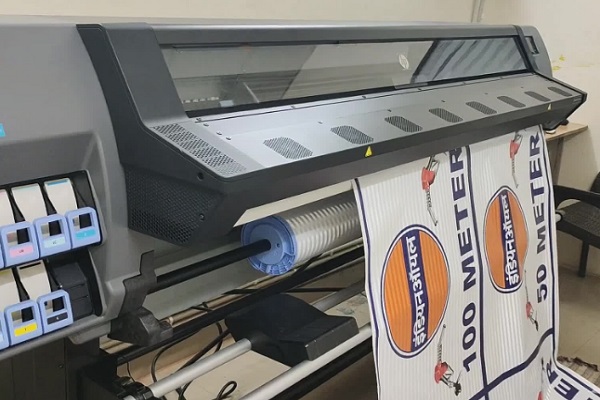

Choosing the right RIP software is crucial for anyone working with latex printers. These advanced printers, known for their versatility and eco-friendly ink technology, depend on robust software to manage color, workflow, and print quality. Whether you’re running a print shop or managing in-house production, understanding what RIP software works with latex printers can make a significant difference in your output and efficiency.
In this guide, we’ll break down the leading RIP solutions that support latex printing technology, their key features, and how to select the best fit for your needs. If you’re also interested in related print technology topics, you may want to explore what is digital prototyping for packaging for insights on speeding up your production process.
Understanding RIP Software for Latex Printing
Raster Image Processor (RIP) software acts as the bridge between your design files and the latex printer. It interprets file data, manages color profiles, and optimizes print jobs for speed and quality. The right RIP solution ensures accurate color reproduction, efficient ink usage, and seamless workflow integration.
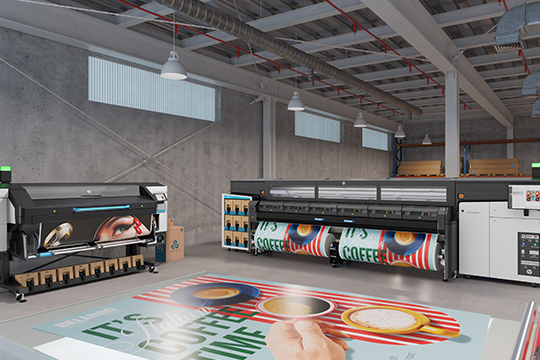
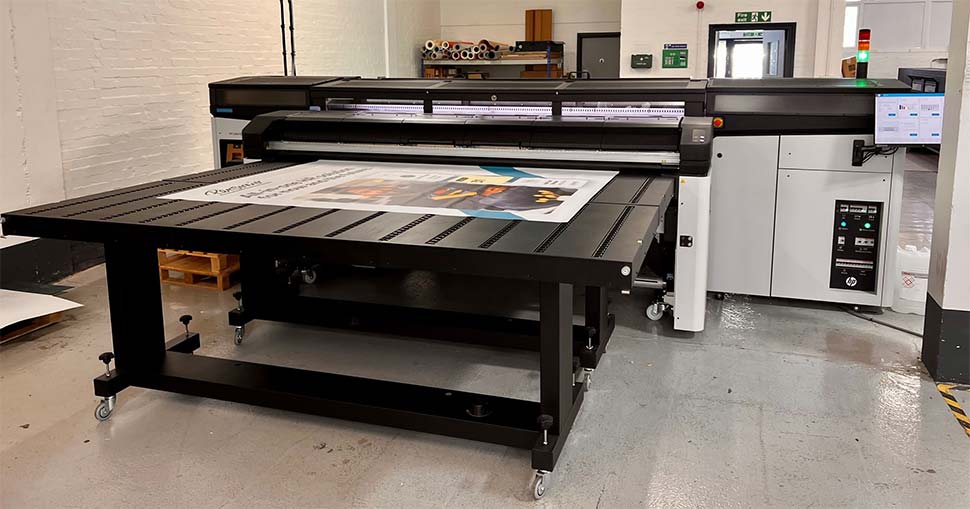
Latex printers, such as those using HP’s latex printing technology, require RIP software that supports their unique ink chemistry and media handling. Not all RIPs are compatible, so it’s important to choose one that’s specifically designed or certified for latex devices.
Key Features to Look for in RIP Solutions
When evaluating what RIP software works with latex printers, consider these essential features:
- Color Management: Advanced ICC profiling for consistent, accurate color across different substrates.
- Media Support: Pre-loaded or customizable media libraries tailored for latex-compatible materials.
- Workflow Automation: Tools for nesting, tiling, and batch processing to maximize productivity.
- Device Integration: Direct support for your printer model, including ink and maintenance controls.
- Job Costing: Estimation tools for ink and media usage to help manage expenses.
- Spot Color Handling: Support for Pantone and custom spot colors, crucial for brand consistency.
Top RIP Software Choices for Latex Printers
Below are some of the most widely used and trusted RIP solutions that support latex printing devices. Each offers unique benefits, so consider your workflow, printer model, and production goals when making a selection.
ONYX Graphics
ONYX is a leading name in the wide-format print industry, offering comprehensive support for latex printers. Their software provides advanced color management, automated workflows, and a user-friendly interface. ONYX is frequently recommended for HP latex printers and is known for its reliability in demanding production environments.
Caldera RIP
Caldera is another top-tier RIP solution, popular in both signage and textile printing. It offers robust color handling, fast processing, and seamless integration with latex devices. Caldera’s intuitive dashboard and automation tools make it suitable for high-volume print shops looking to streamline operations.
SAi Flexi
SAi Flexi is well-known for its versatility and ease of use. It supports a wide range of latex printers and offers integrated design, RIP, and print management tools. Flexi is particularly popular among signmakers and small businesses due to its all-in-one approach and flexible licensing options.
Ergosoft RIP
Ergosoft specializes in textile and specialty printing, but their RIP software also supports many latex printers. It stands out for its precise color control and advanced print queue management, making it a strong choice for users with complex production needs.
Wasatch SoftRIP
Wasatch SoftRIP is designed for simplicity and speed, with a focus on color accuracy and workflow efficiency. It offers direct support for several latex printer models and is often chosen by shops that need a reliable, easy-to-learn solution.
Compatibility Considerations
Not every RIP is compatible with every latex printer. Always check the software’s official compatibility list or consult your printer manufacturer for recommendations. Many major latex printer brands, including HP, provide certified RIP partner lists to ensure seamless integration and optimal results.
If you’re interested in how color management can further enhance your workflow, see our article on the benefits of cloud-based color management for global brands.
Tips for Choosing the Right RIP for Your Latex Printer
- Check Compatibility: Confirm that the software supports your specific printer model and latex ink type.
- Evaluate Workflow Needs: Consider automation, job tracking, and integration with your existing systems.
- Assess Color Management: Look for advanced profiling and calibration tools, especially if color accuracy is critical.
- Review Support and Updates: Choose a vendor with reliable technical support and regular software updates.
- Trial Versions: Many RIP vendors offer demos or trial periods—test them with your files and media before committing.
For those interested in innovative finishing techniques, our resource on what is holographic lamination covers eye-catching print enhancements that pair well with latex output.
Frequently Asked Questions
What is the main advantage of using dedicated RIP software with latex printers?
Dedicated RIP solutions provide advanced color management, workflow automation, and device-specific controls that standard printer drivers cannot match. This results in higher print quality, better color accuracy, and improved efficiency.
Can I use any RIP software with my latex printer?
No, not all RIPs are compatible with latex technology. Always verify that the software is certified or recommended for your specific printer model to ensure proper functionality and support.
How do I keep my color output consistent across different jobs and media?
Use a RIP with robust ICC profiling and calibration tools. For best results, regularly calibrate your monitor (using a tool like a monitor calibrator) and printer, and maintain up-to-date media profiles within your RIP software.
Is cloud-based color management useful for latex printing?
Yes, cloud-based color management can help maintain consistency across multiple devices and locations. For more information, see our article on the benefits of cloud-based color management.
Conclusion
Selecting the right RIP solution is essential for maximizing the performance of your latex printer. By focusing on compatibility, color management, and workflow features, you can ensure reliable, high-quality results for every print job. Explore the options above, take advantage of trial versions, and stay informed about the latest advancements in latex printing technology to keep your production running smoothly.