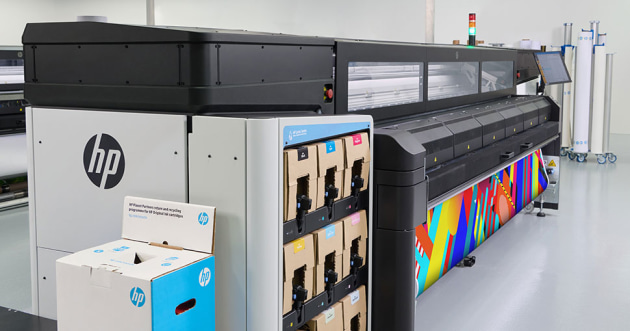

In today’s fast-paced print industry, maximizing output while maintaining quality is essential. Batch printing latex jobs has become a cornerstone for businesses aiming to boost productivity, reduce downtime, and streamline their workflow. Whether you’re managing a large-format print shop or handling multiple signage projects, understanding how to efficiently process multiple latex print tasks can make a significant difference in your bottom line.
This guide explores proven strategies, essential tools, and practical tips for optimizing your latex print workflow. We’ll cover everything from preparing files and managing color consistency to leveraging automation and best practices for maintenance. If you’re interested in related innovations, you might also find value in learning about what is digital prototyping for packaging and how it can speed up production cycles.
Understanding Batch Processing in Latex Printing
Batch processing refers to grouping multiple print jobs together and sending them to the printer as a single task. This approach minimizes manual intervention, reduces idle time, and helps maintain consistent print quality across jobs. In the context of latex printing, batch processing is particularly valuable due to the versatility and speed of latex printers, which can handle a wide range of substrates and applications.
By organizing print tasks into logical batches—such as by material type, color profile, or finishing requirements—you can optimize printer usage and reduce setup time. This method also allows for better scheduling and resource allocation, especially when dealing with high-volume or deadline-driven projects.
Key Benefits of Grouping Latex Print Jobs
- Increased Throughput: Printing multiple jobs in one go minimizes downtime between tasks and maximizes the printer’s operational hours.
- Consistent Output: Grouping jobs with similar requirements ensures uniform color and quality, reducing the risk of errors or mismatches.
- Reduced Waste: Efficient batching helps utilize media rolls more effectively, cutting down on material waste and unnecessary trims.
- Streamlined Workflow: Operators spend less time on manual setup and more time on value-added tasks, improving overall productivity.
Preparing Files for Efficient Batch Printing
Proper file preparation is the foundation of a smooth batch printing process. Here are some best practices:
- Standardize File Formats: Use consistent file types (such as PDF or TIFF) to avoid compatibility issues.
- Color Management: Calibrate monitors and use ICC profiles to ensure color accuracy across all jobs. Investing in a monitor calibrator can help maintain consistency.
- Imposition and Nesting: Arrange multiple designs on a single sheet or roll to maximize material usage and minimize waste.
- Labeling and Metadata: Clearly label files and include job-specific metadata for easy identification and tracking.
Automation Tools for Streamlined Latex Print Workflows
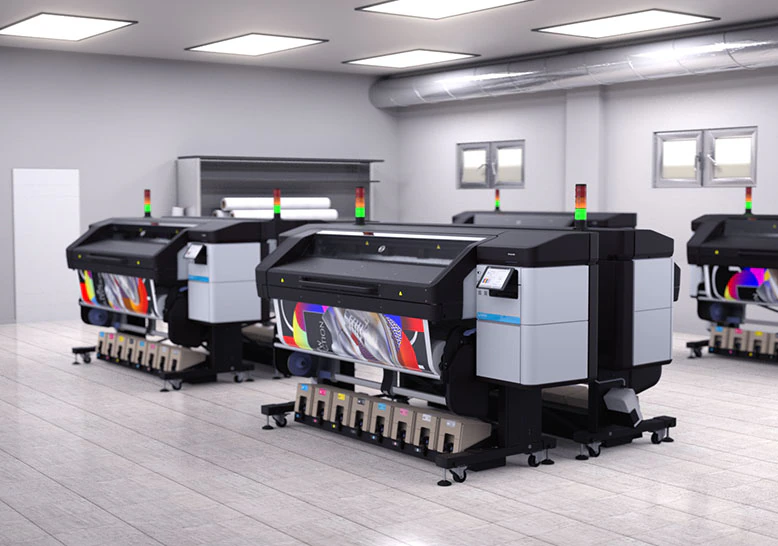
Leveraging automation is key to maximizing the benefits of batch processing. Modern RIP (Raster Image Processor) software offers features such as job queuing, automated nesting, and color management, all of which contribute to a more efficient workflow. Some advanced systems even allow for remote job submission and real-time monitoring, enabling operators to manage multiple printers or locations from a single interface.
When selecting automation tools, consider compatibility with your printer model, ease of integration, and support for batch processing features. Many latex printers come with proprietary software designed to optimize throughput and minimize manual intervention.
Best Practices for Managing Multiple Latex Print Jobs
- Schedule Batches by Media Type: Group jobs using the same substrate to avoid frequent material changes and recalibration.
- Monitor Ink and Media Levels: Ensure you have sufficient supplies before starting a large batch to prevent interruptions.
- Use Print Previews: Double-check layouts and impositions to catch errors before printing.
- Regular Maintenance: Clean printheads and perform routine checks to maintain consistent quality and prevent downtime.
- Document Settings: Keep records of successful batch configurations for future reference and repeatability.
Quality Control and Color Consistency in Batch Printing
Maintaining consistent quality across multiple jobs is a common challenge. Implementing a robust color management system is essential, especially when handling high-value or brand-sensitive projects. For global brands, cloud-based color management solutions can further enhance consistency and collaboration. To learn more about these advantages, see the benefits of cloud-based color management for distributed teams.
Additionally, regular calibration of both monitors and printers, along with the use of certified media and inks, helps ensure that each batch meets client expectations.
Comparing Latex Printing with Other Technologies
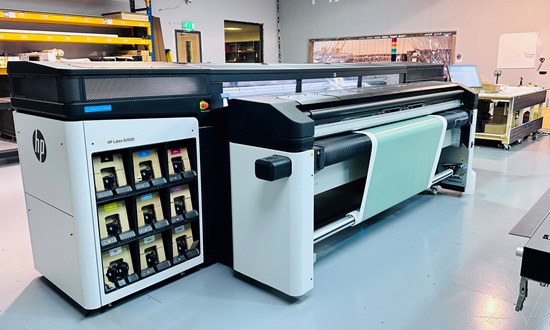
When considering how to optimize your print production, it’s helpful to compare latex technology with alternatives such as UV printing. Each method has its strengths and ideal use cases. For a detailed breakdown of the differences and which option might suit your needs, refer to this comparison of latex vs UV printing.
Latex printers are known for their eco-friendliness, versatility, and ability to produce vibrant, durable prints on a wide range of substrates. These characteristics make them especially suitable for batch processing, where speed and consistency are paramount.
Tips for Maximizing Productivity with Latex Print Batching
- Invest in high-capacity ink cartridges and media rolls to minimize changeovers.
- Train staff on software features that support batch processing and automation.
- Implement a clear labeling and tracking system for jobs within each batch.
- Schedule routine maintenance during off-peak hours to avoid workflow disruptions.
- Continuously review and refine batching strategies based on production data and feedback.
Frequently Asked Questions
What types of jobs are best suited for batch processing with latex printers?
Batch processing is ideal for jobs that share similar media, color profiles, or finishing requirements. Examples include banners, posters, and signage runs where consistency and speed are important.
How can I ensure color consistency across multiple latex print jobs?
Use calibrated monitors, standardized ICC profiles, and regularly maintain your printer. Cloud-based color management solutions can also help maintain accuracy across different locations and operators.
What are the main advantages of latex printing compared to UV printing for batch jobs?
Latex printing offers faster turnaround, lower environmental impact, and compatibility with a wide range of substrates. It’s particularly effective for high-volume batch jobs due to its speed and versatility.
Conclusion
Adopting efficient batch printing practices for latex jobs can transform your print operation, leading to higher productivity, reduced costs, and improved customer satisfaction. By focusing on file preparation, automation, quality control, and continuous improvement, print businesses can stay competitive in a demanding market. For further insights into advanced print technologies, you may also be interested in learning about what is electron beam curing in printing or exploring what is holographic lamination for eye-catching print effects.