Latex printers are a staple in modern print shops due to their versatility and ability to produce high-quality graphics on a wide range of substrates. However, even the most reliable equipment can encounter problems, and one of the most common challenges is troubleshooting media feed issues. These problems can lead to misalignment, print defects, wasted materials, and costly downtime if not addressed promptly.
Understanding the root causes of media feed malfunctions and knowing how to resolve them is essential for maintaining productivity and print quality. This article provides a comprehensive guide to identifying, diagnosing, and resolving feed-related problems in latex printing systems. For those interested in broader print technology topics, you may also find value in learning about what is digital prototyping for packaging and how it can accelerate your production workflow.
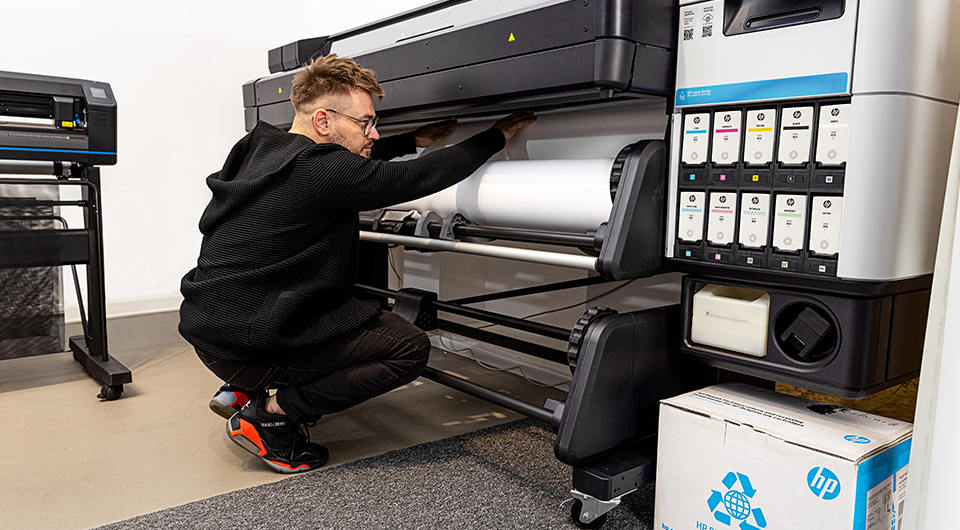
Common Causes of Media Feed Problems
Media feed complications in latex printers can arise from a variety of sources. Recognizing these causes is the first step toward effective troubleshooting media feed issues and minimizing print disruptions.
- Incorrect Media Loading: Improperly loaded rolls or sheets can cause skewing, wrinkling, or jams.
- Worn or Dirty Rollers: Accumulated dust, ink, or wear on feed rollers can reduce grip and lead to slippage or uneven feeding.
- Media Type Mismatch: Using a substrate that is incompatible with the printer’s settings or hardware can result in feeding errors.
- Environmental Factors: Humidity and temperature fluctuations may affect media flexibility and feed consistency.
- Mechanical Obstructions: Debris or foreign objects in the feed path can cause jams or misfeeds.
Step-by-Step Guide to Diagnosing Feed Issues
When faced with media feed malfunctions, a systematic approach helps isolate the problem and apply the right fix. Here’s a structured process for addressing feed-related challenges in latex printing systems.
1. Inspect Media Loading and Alignment
Begin by checking if the media is loaded straight and properly tensioned. Misalignment is a frequent culprit for skewed prints and jams. Ensure that the roll or sheet sits evenly on the spindle and that the printer’s edge guides are correctly positioned.
2. Examine Feed Rollers and Path
Open the printer’s access panels and visually inspect the feed rollers. Look for signs of ink buildup, dust, or physical wear. Clean the rollers with a lint-free cloth and manufacturer-approved cleaning solution. Remove any debris from the feed path to prevent obstructions.

3. Match Media Settings to Substrate
Double-check that the printer’s media settings correspond to the actual substrate being used. Many latex printers have built-in profiles for different materials. Selecting the wrong profile can cause improper tension or speed, resulting in feed errors. If using a new or custom substrate, create or download the appropriate profile.
4. Address Environmental Conditions
Environmental factors like humidity and temperature can affect both the media and the printer’s mechanical components. Store media in a climate-controlled environment and allow it to acclimate before printing. Regularly monitor the print room’s conditions to ensure optimal performance.
Advanced Troubleshooting for Persistent Feed Issues
If basic checks do not resolve the problem, further investigation may be required. Here are some advanced steps for persistent or recurring feed complications.
- Firmware and Software Updates: Ensure the printer’s firmware and RIP software are up to date. Manufacturers often release updates that address known feed-related bugs.
- Sensor Calibration: Many latex printers use sensors to detect media position and skew. Run the calibration routines as recommended by the manufacturer to maintain accuracy.
- Mechanical Inspection: If hardware damage is suspected, such as bent shafts or worn gears, consult the service manual or contact a qualified technician for repair or replacement.
- Consult Documentation: Refer to the printer’s user manual for model-specific troubleshooting steps and error code explanations.
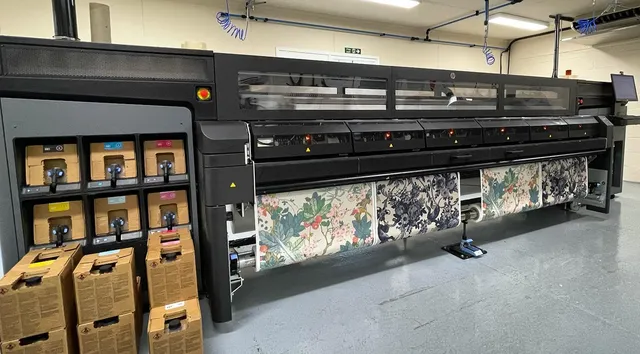
Best Practices to Prevent Media Feed Disruptions
Preventative maintenance and careful operation can significantly reduce the occurrence of feed problems in latex printers. Consider these best practices:
- Regularly clean feed rollers and the media path to prevent buildup of dust and ink.
- Store media in its original packaging in a dry, temperature-controlled area.
- Always use the correct media profiles and update them as new substrates are introduced.
- Train operators on proper loading techniques and routine checks.
- Schedule periodic inspections and servicing as recommended by the manufacturer.
For a deeper understanding of the technology behind latex printing, you may want to explore the advantages and disadvantages of latex printing as discussed by industry experts.
Integrating Color Management and Workflow Solutions
Media feed reliability is closely linked to overall print workflow efficiency. Integrating color management solutions and digital prototyping can help streamline production and minimize errors. For example, adopting cloud-based color management ensures consistent results across multiple devices and locations, reducing waste from misfeeds and reprints.
Additionally, understanding new finishing techniques such as holographic lamination or advanced curing methods like electron beam curing in printing can further enhance your print shop’s capabilities and reduce the likelihood of substrate-related feed problems.
Frequently Asked Questions
What should I do if my latex printer consistently misfeeds media?
Start by checking for proper media loading and alignment. Clean the feed rollers and ensure there is no debris in the media path. Verify that the correct media profile is selected and that environmental conditions are stable. If the issue persists, perform sensor calibration and consult the printer’s documentation for additional troubleshooting steps.
How often should I clean the feed rollers on my latex printer?
It’s recommended to clean the feed rollers at least once a week in high-volume environments, or whenever you notice buildup or slippage. Always use manufacturer-approved cleaning solutions and follow the guidelines in your printer’s manual.
Can using the wrong substrate cause media feed problems?
Yes. Using a substrate that is not compatible with your printer’s settings or hardware can lead to feeding errors, jams, or poor print quality. Always select the correct media profile and consult substrate compatibility charts provided by the manufacturer.
Are there workflow solutions that help reduce feed issues?
Yes, integrating digital workflow solutions such as cloud-based color management and digital prototyping can streamline production and minimize errors, including those related to media feeding.
By following these guidelines and maintaining a proactive approach, print operators can greatly reduce downtime and ensure consistent, high-quality output from their latex printers.