

When preparing files for latex printing, understanding the difference between CMYK and RGB color modes is crucial for achieving accurate, vibrant results. The way colors are defined and reproduced in digital files directly affects the final print, especially with advanced technologies like latex printers. This article explores the key differences between these two color models, their impact on latex printing, and how to choose the right workflow for your projects.
Whether you’re a designer, print operator, or business owner, knowing how color management works can help you avoid costly mistakes and ensure your prints look as intended. For those interested in related innovations, you might also want to learn about what is digital prototyping for packaging to further optimize your production process.
Understanding Color Modes: CMYK and RGB Explained
The two primary color models used in graphic design and printing are CMYK (Cyan, Magenta, Yellow, Black) and RGB (Red, Green, Blue). Each serves a different purpose and is optimized for specific output devices.
- RGB is an additive color model used for digital screens, such as monitors, smartphones, and TVs. Colors are created by mixing red, green, and blue light at varying intensities.
- CMYK is a subtractive color model used in printing. It works by combining cyan, magenta, yellow, and black inks to absorb (subtract) light and produce color on paper or other substrates.
The distinction is important because the color gamut (range of colors) that can be displayed on a screen (RGB) is generally much wider than what can be reproduced with inks (CMYK).
How Latex Printing Technology Handles Color
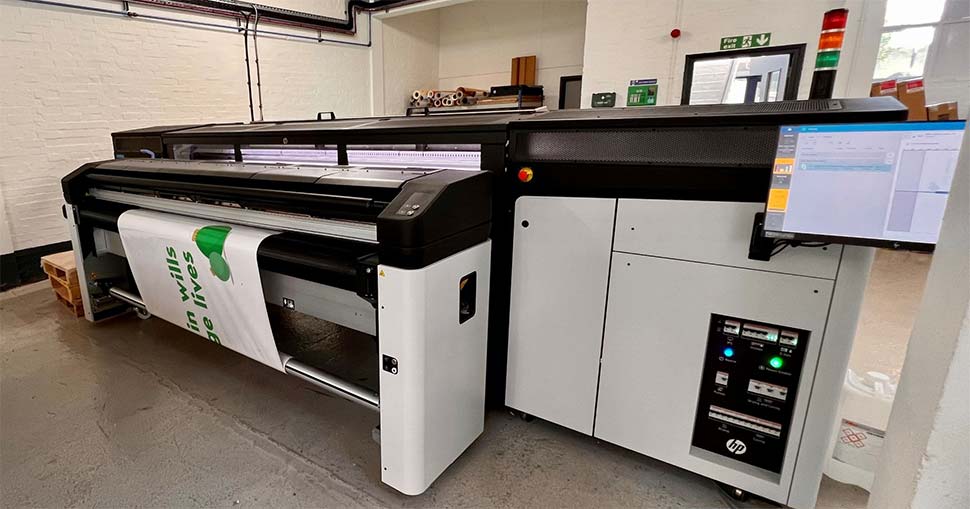
Latex printers use water-based inks that are cured with heat to produce durable, flexible prints suitable for a wide range of applications. These printers are designed to work with CMYK inks (and sometimes additional colors for expanded gamut), making the choice of color mode critical.
When you send a file to a latex printer, the printer’s software or RIP (Raster Image Processor) will convert any RGB elements to CMYK before printing. This conversion can lead to color shifts if not managed carefully, especially for bright or saturated hues that exist in RGB but not in CMYK.

CMYK vs RGB in Latex Printing: File Preparation and Color Accuracy
For the best results in latex printing, it’s generally recommended to prepare your files in CMYK from the start. Here’s why:
- Predictable Output: Working in CMYK lets you see a closer approximation of how colors will print, reducing surprises.
- Minimized Color Shifts: Direct conversion from RGB to CMYK at the printer stage can cause unexpected color changes, particularly with neon or highly saturated colors.
- Consistent Branding: For logos and brand colors, CMYK ensures that printed materials match across different jobs and substrates.
However, some designers prefer to work in RGB for its broader color range and convert to CMYK just before printing. If you choose this approach, always use color profiles and soft-proofing tools to preview how colors will translate.
Best Practices for Color Management in Latex Printing
Achieving accurate color in latex printing involves more than just choosing the right color mode. Here are some essential tips:
- Calibrate Your Monitor: Use a hardware calibrator to ensure your screen displays colors accurately. This is especially important when working in CMYK.
- Use ICC Profiles: Apply the correct ICC profile for your printer, ink, and media combination. This helps the RIP software interpret color data correctly.
- Soft Proofing: Preview your design in CMYK mode to anticipate how colors will appear in print.
- Test Prints: Run small test prints to check color accuracy before committing to a full production run.
For more insights on managing color across distributed teams and devices, see the benefits of cloud-based color management for global brands.
Comparing Print Results: What to Expect from Each Color Mode
The practical differences between RGB and CMYK in latex printing become clear when comparing actual print results:
- RGB Files: May appear more vibrant on screen, but some colors (especially bright greens, blues, and reds) can look duller or shift when printed due to the limited CMYK gamut.
- CMYK Files: Offer more reliable color reproduction, with fewer surprises and better consistency across different print jobs.
If your project demands the most accurate color match, especially for brand-critical materials, always convert to CMYK and proof your files before sending them to the printer.
Common Pitfalls and How to Avoid Them
Many issues in latex printing arise from misunderstandings about color modes:
- Forgetting to Convert: Sending RGB files directly to print can result in unexpected color shifts.
- Ignoring Profiles: Not using the correct ICC profile for your printer and media can cause inaccurate colors.
- Uncalibrated Displays: Designing on a monitor that isn’t calibrated can lead to mismatched expectations versus print output.
To avoid these pitfalls, always check your files, use proper color management workflows, and communicate with your print provider about their requirements.
When Might You Use RGB in Latex Printing?
While CMYK is the standard for print, there are scenarios where working in RGB is beneficial:
- Digital-First Projects: If your artwork will be used both online and in print, starting in RGB allows for maximum flexibility before final conversion.
- Photographic Images: Some RIP software can handle RGB images with advanced color management, potentially achieving smoother gradients or richer tones.
- Expanded Gamut Printing: If your latex printer supports additional inks (like orange, green, or violet), the RIP may use RGB data to optimize color output.
In these cases, always communicate with your print provider and request a proof to ensure the final result matches your expectations.
Additional Resources and Industry Insights
For a deeper dive into the differences between latex and other digital printing technologies, see this comprehensive overview of latex vs digital printing. Staying informed about the latest techniques and tools can help you make the most of your print investments.
If you’re exploring advanced finishing options, you might also be interested in what is holographic lamination for eye-catching print effects.
FAQ: CMYK and RGB in Latex Printing
Should I always convert my files to CMYK before latex printing?
It’s generally best to convert your files to CMYK before sending them to a latex printer. This allows you to preview how colors will print and avoid unexpected shifts. However, some workflows and RIP software can handle RGB images effectively, so consult your print provider for their recommendations.
Why do some colors look different when printed compared to my screen?
Screens use the RGB color model and can display a wider range of colors than CMYK inks can reproduce. As a result, certain bright or saturated colors may appear less vibrant or shift in hue when printed. Proper color management and soft proofing can help minimize these differences.
What are ICC profiles, and why are they important?
ICC profiles are standardized sets of data that describe how colors should appear on specific devices or media. Using the correct ICC profile ensures that your colors are interpreted accurately from screen to print, which is essential for achieving consistent results in latex printing.
Can I use the same file for both web and print?
You can design in RGB for web use and convert to CMYK for print, but always check your colors after conversion. Some colors may not translate perfectly, so adjustments may be needed to maintain visual consistency across platforms.




