
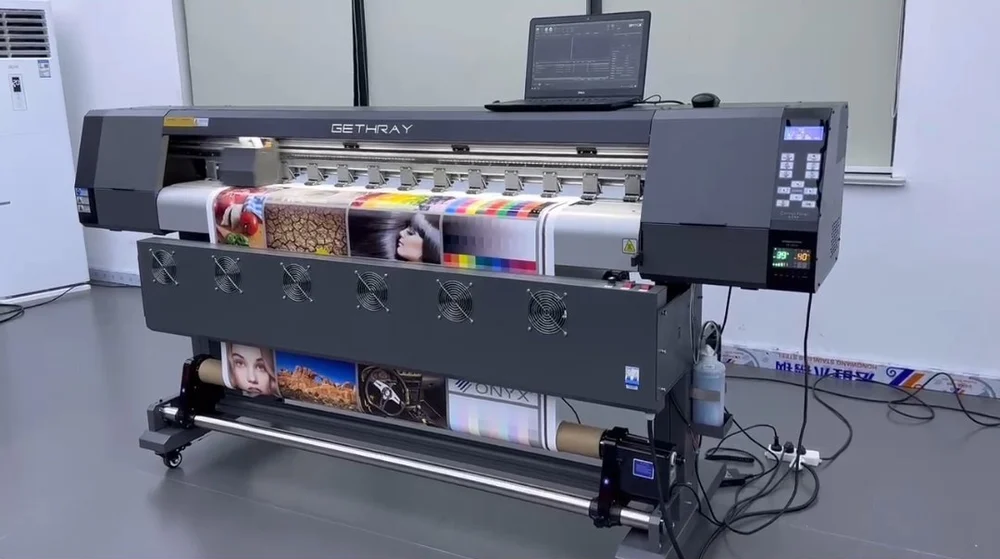

Maintaining your printer’s performance and print quality relies heavily on regular eco solvent ink nozzle cleaning. Over time, ink residue, dust, and environmental factors can clog printhead nozzles, leading to streaks, color inconsistencies, or even permanent damage. Understanding the right cleaning process not only extends the lifespan of your equipment but also ensures consistent, professional results for every print job.
Whether you’re a print shop owner or a hobbyist, knowing how to properly care for eco solvent printer heads is essential. This article provides a comprehensive, step-by-step approach to cleaning nozzles, highlights best practices, and answers common questions. For those interested in sustainable alternatives, you may also want to explore our guide to solvent-free printing processes for broader insights into eco-friendly printing.
Why Regular Nozzle Maintenance Matters
Routine care for your printer’s nozzles is crucial for several reasons. Clogged or partially blocked nozzles can cause banding, color shifts, and even complete print failure. By following a consistent eco solvent ink nozzle cleaning regimen, you can:
- Prevent costly repairs and extend printhead life
- Maintain optimal print quality and color accuracy
- Reduce ink waste and downtime
- Support sustainable printing practices by minimizing material waste
Neglecting this maintenance can result in more frequent breakdowns and increased operational costs. For additional tips on keeping your printer in top shape, check out these maintenance tips for smoother printer operations and performance.
Essential Tools and Supplies for Cleaning
Before starting the cleaning process, gather the following items to ensure safety and effectiveness:
- Lint-free cleaning swabs or pads
- Eco solvent-compatible cleaning solution
- Disposable gloves
- Protective eyewear (optional but recommended)
- Clean, dust-free workspace
Using the correct cleaning solution is vital. Never use water or generic solvents, as these can damage sensitive printhead components. Always opt for products specifically designed for eco solvent printers.
Step-by-Step Eco Solvent Ink Nozzle Cleaning Process
Follow these detailed steps to ensure thorough and safe cleaning of your printhead nozzles:
-
Power Down and Prepare
- Turn off the printer and unplug it from the power source.
- Allow the printhead to cool if the printer was recently used.
-
Access the Printhead
- Open the printer cover and locate the printhead carriage.
- Move the carriage to the maintenance position if your model allows manual access.
-
Apply Cleaning Solution
- Moisten a lint-free swab with eco solvent cleaning fluid.
- Gently wipe the nozzle area, avoiding excessive pressure.
- For stubborn clogs, let the cleaning solution sit on the nozzles for a few minutes.
-
Wipe and Dry
- Use a fresh swab to remove any remaining residue.
- Ensure the area is dry and free from lint before reassembling.
-
Run a Test Print
- Reconnect the printer and power it on.
- Print a nozzle check pattern to confirm all jets are firing correctly.
- Repeat cleaning if necessary until the test pattern is clear.
Always consult your printer’s manual for model-specific instructions, as some devices may have automated cleaning cycles or require special handling.
Best Practices for Preventing Nozzle Clogs
Proactive care is the best way to avoid frequent blockages. Here are some proven strategies:
- Print regularly to keep ink flowing and prevent drying inside the nozzles.
- Store printers in a dust-free, climate-controlled environment.
- Use only high-quality, compatible eco solvent inks.
- Schedule periodic deep cleans, especially after periods of inactivity.
- Replace maintenance parts (such as wipers and caps) as recommended by the manufacturer.
Implementing these habits can significantly reduce the need for intensive cleaning and help maintain consistent output.
Common Issues and Troubleshooting Tips
Even with routine eco solvent ink nozzle cleaning, occasional issues may arise. Here’s how to address some typical problems:
- Persistent Streaks or Gaps: Repeat the cleaning process, ensuring the cleaning solution is fresh and swabs are lint-free. If issues persist, consider a deeper soak or consult a technician.
- Ink Smearing: Allow the printhead to dry thoroughly after cleaning. Excess fluid can cause smudging.
- Unresponsive Nozzles: If nozzles remain blocked after several cleaning cycles, the printhead may require professional servicing or replacement.
Staying proactive with maintenance and using recommended products can minimize these disruptions.
Integrating Sustainable Practices in Printing
Eco solvent technology is designed to be more environmentally friendly than traditional solvent inks. By combining regular nozzle care with sustainable printing habits, you can further reduce your environmental impact. Consider using recyclable media, energy-efficient printers, and safe disposal methods for cleaning materials. For those looking to push sustainability further, our article on what is sublimation printing for specialty packaging explores additional green printing options.
Frequently Asked Questions
- How often should I clean eco solvent printhead nozzles?
- For most users, a light cleaning every 1–2 weeks is sufficient if the printer is in regular use. If the printer sits idle for extended periods, perform a cleaning before and after downtime to prevent ink from drying in the nozzles.
- Can I use generic cleaning solutions for eco solvent printers?
- No, always use cleaning fluids specifically formulated for eco solvent inks. Generic or water-based cleaners can damage the printhead or leave residues that affect print quality.
- What should I do if cleaning does not restore print quality?
- If repeated cleaning cycles do not resolve issues, check for expired or incompatible ink, inspect for physical damage, and consult your printer’s manual. Persistent problems may require professional servicing or printhead replacement.
Conclusion
Proper eco solvent ink nozzle cleaning is essential for maintaining print quality, minimizing downtime, and extending the life of your printer. By following the step-by-step guide, using the right supplies, and adopting preventative habits, you can ensure your printing operation runs smoothly and sustainably. For those seeking to further optimize their workflow, exploring innovations like future of cobots in packaging decoration may offer additional efficiency and quality improvements.




