

Maintaining the quality and clarity of printed glass surfaces is essential for anyone involved in glass decoration, packaging, or manufacturing. Whether you’re working with screen printing, digital printing, or etching, glass printing maintenance tips can make the difference between vibrant, long-lasting results and faded, damaged prints. This article provides practical advice to help you keep your glass prints looking their best, minimize costly errors, and extend the life of your equipment and finished products.
Understanding the nuances of glass printing care is especially important if you want to avoid common pitfalls. For a deeper dive into frequent issues and how to sidestep them, check out common mistakes in glass printing for additional insights.
Why Proper Care Matters for Glass Printing
Glass printing is a precise process that demands attention to detail at every stage. Without regular upkeep, even the most advanced printing techniques can result in smudges, peeling, or color fading. Implementing glass printing maintenance tips not only preserves the visual appeal of your products but also protects your investment in printing equipment and materials.
Whether you’re producing decorative bottles, cosmetic containers, or high-tech glass components, consistent maintenance ensures your prints remain sharp, durable, and professional-looking. This is especially important for industries where presentation and longevity are critical, such as luxury packaging and electronics.
Routine Cleaning: The Foundation of Print Longevity
One of the most effective ways to maintain glass prints is through regular cleaning. Dust, oils, and residue can accumulate on both the glass surface and the printing equipment, leading to imperfections and reduced adhesion of inks or coatings.
- Clean Surfaces Before Printing: Always start with a spotless glass substrate. Use lint-free cloths and a mild glass cleaner to remove fingerprints, dust, and debris. Avoid harsh chemicals that could interfere with ink adhesion.
- Maintain Printing Equipment: Regularly wipe down squeegees, screens, and print heads. Dried ink or debris can cause streaks and uneven prints.
- Post-Print Care: Once prints are cured, gently clean the surface with a soft cloth to remove any remaining particles. Avoid abrasive pads that could scratch the print.
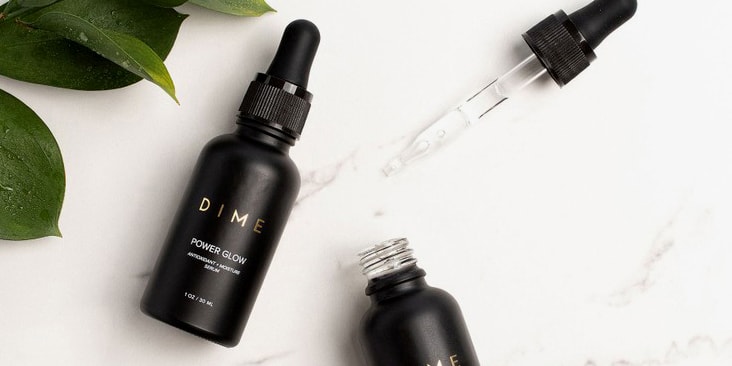
Handling and Storage: Preventing Damage Before It Starts
Proper handling and storage are often overlooked but are crucial for maintaining the integrity of printed glass. Here are some guidelines to follow:
- Wear Gloves: Oils from your hands can transfer onto the glass, affecting ink adhesion and causing blemishes. Use clean, powder-free gloves during handling.
- Use Protective Padding: Store printed glass items with soft separators or padding to prevent scratches and chipping.
- Avoid Stacking: If possible, avoid stacking printed glass pieces directly on top of each other. If stacking is necessary, use non-abrasive materials between layers.
- Control Environment: Store finished products in a dry, dust-free area away from direct sunlight to prevent fading and moisture-related issues.
Equipment Upkeep: Key to Consistent Results
Maintaining your printing equipment is just as important as caring for the glass itself. Regular inspections and cleaning routines will help you achieve consistent, high-quality prints.
- Inspect Screens and Print Heads: Look for signs of clogging, wear, or damage. Replace or repair components as needed to avoid print defects.
- Calibrate Regularly: Ensure that your machines are properly calibrated for the type of glass and ink you’re using. This prevents misalignment and color inconsistencies.
- Lubricate Moving Parts: Keep mechanical parts well-lubricated to prevent jams and ensure smooth operation.
For a comparison of digital and screen printing methods, and how maintenance needs may differ, see this detailed guide on glass print options.

Advanced Glass Printing Maintenance Tips for Professionals
For those working in high-volume or specialized glass printing environments, advanced care techniques can further enhance print quality and durability:
- Use Proper Curing Methods: Ensure that inks and coatings are fully cured according to manufacturer specifications. Under-cured prints are more prone to scratching and fading.
- Monitor Environmental Conditions: Temperature and humidity can impact ink performance and drying times. Maintain a stable environment for best results.
- Implement Quality Control Checks: Regularly inspect finished products for defects such as pinholes, color shifts, or adhesion issues. Early detection allows for timely corrections.
- Stay Updated on New Techniques: The glass printing industry is constantly evolving. Explore resources on smart device glass printing and industrial glass printing uses to keep your skills and maintenance routines up to date.
Choosing the Right Materials for Easy Maintenance
The type of ink, coating, and glass substrate you use can significantly affect how easy it is to maintain your prints. Here are some considerations:
- Opt for Durable Inks: UV-cured and ceramic inks are known for their longevity and resistance to abrasion.
- Select Compatible Glass: Some glass types are more receptive to certain inks and coatings. Test compatibility before starting large production runs.
- Use Protective Coatings: Applying a clear protective layer can shield prints from scratches and environmental damage.
For those interested in decorative finishes, explore colored glass decoration methods to discover how different techniques impact maintenance requirements.
Common Maintenance Mistakes to Avoid
Even experienced professionals can fall into bad habits that compromise print quality. Here are some frequent errors and how to avoid them:
- Neglecting Regular Cleaning: Skipping routine cleaning leads to buildup that can damage both prints and equipment.
- Using Abrasive Tools: Hard brushes or pads can scratch the glass and damage printed designs.
- Improper Storage: Failing to protect printed items during storage increases the risk of chipping and fading.
- Ignoring Manufacturer Guidelines: Always follow recommended procedures for inks, coatings, and machinery to ensure optimal performance.
For more on the benefits of specific printing methods and how they relate to maintenance, see the advantages of screen printing on glass.
FAQ
How often should I clean my glass printing equipment?
It’s best to clean your equipment after every print run. This prevents ink buildup and ensures consistent print quality. For high-volume operations, a quick wipe-down between batches and a thorough cleaning at the end of each day is recommended.
What’s the safest way to store printed glass items?
Store printed glass in a dry, dust-free environment, using soft separators or padding between items. Avoid stacking directly, and keep products away from direct sunlight to prevent fading and heat damage.
Can I use household cleaners on printed glass?
Most household cleaners are too harsh and can damage prints. Use a mild, non-abrasive glass cleaner and a soft, lint-free cloth. Always test cleaners on a small area first to ensure they don’t affect the print.
What should I do if I notice defects in my prints?
Stop production and inspect your equipment and materials. Check for clogged screens, dirty print heads, or incompatible inks. Address the root cause before resuming to prevent further defects.
By following these glass printing maintenance tips and adopting a proactive approach to care, you can ensure your prints remain vibrant and professional for years to come. Regular upkeep not only saves time and money but also helps you deliver the highest quality results to your clients and customers.