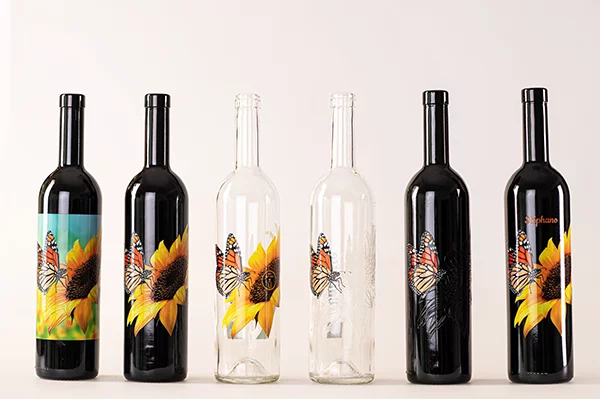

Printing on glass offers unique opportunities for branding, decoration, and product differentiation, but it also presents a range of technical challenges. Whether you’re customizing bottles, creating privacy panels, or producing branded glassware, understanding the common mistakes in glass printing is essential for achieving professional results. This guide explores the most frequent errors encountered in glass decoration, explains why they happen, and provides practical solutions to help you avoid costly setbacks.
Before diving into the most frequent pitfalls, it’s worth noting that the type of glass, the chosen printing technique, and the intended application all influence the likelihood of errors. For those interested in specialized methods, you can learn more about opaque glass printing techniques for privacy panels and other advanced applications.
Understanding the Challenges of Glass Decoration
Glass is a non-porous, smooth, and often curved substrate. These characteristics make it less forgiving than paper or plastic when it comes to ink adhesion and print durability. The most frequent mistakes in glass printing typically stem from inadequate surface preparation, incorrect ink selection, or improper curing processes. Recognizing these challenges is the first step toward producing high-quality, long-lasting prints.
Surface Preparation Errors
One of the most overlooked steps in glass decoration is proper surface cleaning and preparation. Any residue—such as dust, oil, or fingerprints—can prevent inks or coatings from bonding correctly to the glass. This often leads to flaking, smudging, or uneven prints.
- Skipping Cleaning: Failing to thoroughly clean glass surfaces is a leading cause of poor adhesion. Always use a lint-free cloth and appropriate cleaning agents to remove contaminants.
- Improper Handling: Touching the glass with bare hands after cleaning can reintroduce oils. Use gloves or handle glass with tools to maintain cleanliness.
For those interested in eco-friendly approaches, reviewing a guide to solvent-free printing processes can help minimize chemical residues and improve adhesion.
Ink and Material Selection Mistakes
Choosing the wrong ink or coating for your specific glass type and application is another frequent issue. Not all inks are formulated for glass, and using incompatible materials can result in fading, chipping, or poor color reproduction.
- Using Non-Specialized Inks: Standard inks may not adhere to glass or withstand washing and UV exposure. Always select inks designed for glass printing, such as UV-curable or ceramic inks.
- Ignoring Curing Requirements: Some inks require specific curing processes, such as UV light or heat. Skipping or shortening these steps can compromise durability.
For advanced applications, consider exploring UV digital printing solutions for glass to achieve vibrant, long-lasting results.
Registration and Alignment Issues
Precise placement of graphics is crucial, especially for multi-color or wraparound designs. Misalignment can ruin the appearance of the final product and lead to wasted materials.
- Inaccurate Jig Setup: Failing to use proper jigs or fixtures can cause the glass to shift during printing, resulting in misaligned prints.
- Neglecting Test Runs: Skipping test prints increases the risk of errors. Always conduct a test run to check alignment and adjust as needed.
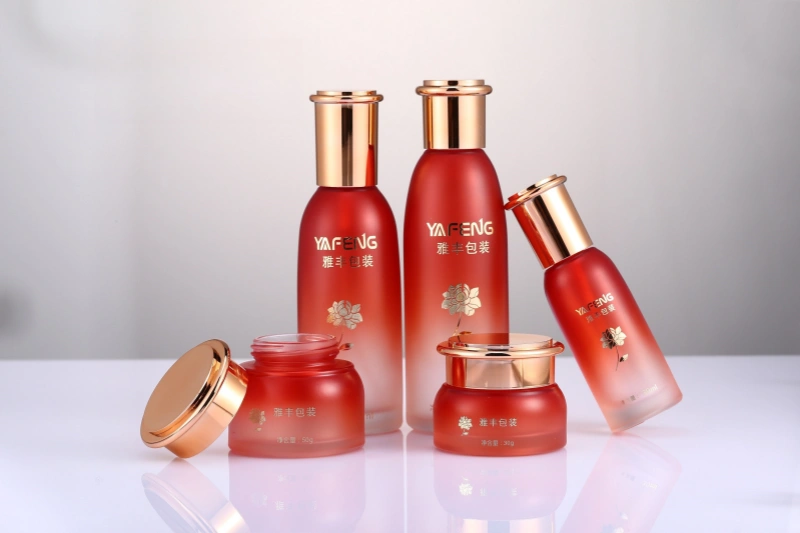
Temperature and Curing Problems
Proper curing is essential for ink adhesion and durability. Inadequate or uneven curing can cause prints to peel, fade, or wash away. This is especially true for UV-curable and heat-set inks.
- Incorrect Temperature Settings: Not following manufacturer-recommended temperatures can result in incomplete curing.
- Uneven Heat Distribution: Inconsistent oven or lamp performance may leave some areas under-cured. Regularly calibrate equipment to ensure even results.
Design and Artwork Issues
Even with perfect technique, poor artwork preparation can undermine the final result. Some of the most common mistakes in glass printing relate to file setup and design choices.
- Low-Resolution Images: Using images below 300 DPI can result in blurry or pixelated prints.
- Ignoring Transparency and Color Profiles: Glass is transparent, so white ink or underbase layers may be required for vibrant colors. Always check color separations and transparency settings.
- Overly Complex Designs: Extremely fine details may not reproduce well on curved or textured glass surfaces.
Environmental and Handling Factors
Environmental conditions in the print area, such as humidity and dust, can impact print quality. Additionally, improper handling after printing can cause smudging or scratches.
- Printing in Dusty Environments: Dust particles can become trapped under ink or coatings, leading to defects.
- Handling Before Full Cure: Touching or stacking glass before inks are fully cured can cause smearing or transfer.
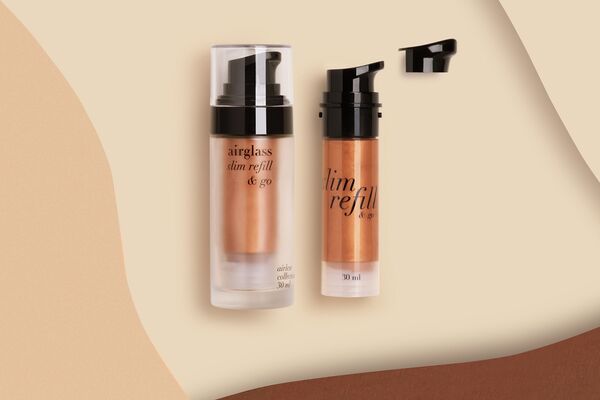
Best Practices to Prevent Glass Printing Errors
By understanding the typical pitfalls, you can take proactive steps to ensure high-quality results. Here are some practical tips to minimize errors:
- Thoroughly Clean Glass: Always clean and degrease surfaces before printing. Use gloves to prevent recontamination.
- Select the Right Ink: Choose inks and coatings specifically formulated for glass and follow all curing instructions.
- Test Before Production: Run test prints to check alignment, color, and adhesion before starting a full batch.
- Control the Environment: Print in a clean, controlled environment to reduce dust and humidity-related issues.
- Handle with Care: Allow adequate curing time before handling or packaging printed glass items.
For those looking to expand their glass printing capabilities, exploring options like custom glass signs can provide inspiration for new projects and applications.
FAQ: Glass Printing Mistakes and Solutions
What is the most common cause of ink not sticking to glass?
The leading cause is inadequate surface preparation. Any dust, oil, or residue on the glass can prevent ink from adhering properly. Always clean glass thoroughly and avoid touching it with bare hands after cleaning.
Can I use regular inks for printing on glass?
No, standard inks typically do not bond well to glass and may peel or wash off. Use inks specifically designed for glass, such as UV-curable or ceramic inks, and follow the recommended curing process.
How can I prevent designs from fading or chipping?
Ensure you are using the correct ink and curing method for your application. Proper surface preparation, environmental control, and allowing full curing time are essential to prevent fading or chipping of printed designs.
By following these guidelines and staying aware of the common mistakes in glass printing, you can achieve professional, durable, and visually appealing results for any glass printing project.