


Achieving reliable, high-quality output in latex printing requires more than just advanced equipment and skilled operators. It hinges on a systematic approach to quality control in latex printing. By following a structured checklist, print providers can minimize errors, reduce waste, and deliver vibrant, accurate results every time. This article outlines a practical, step-by-step guide for maintaining consistency and addressing common pitfalls in latex print production.
As the print industry evolves, integrating digital workflows and new materials, the importance of robust quality assurance grows. If you’re interested in how digital prototyping can further streamline your workflow, explore what is digital prototyping for packaging for insights on speeding up production and reducing costly mistakes.
Why Quality Control Matters in Latex Printing
Consistency is the hallmark of a professional print operation. In latex printing, even minor deviations in process or materials can result in color shifts, banding, or poor adhesion. A thorough quality control process helps catch these issues early, ensuring that every print meets client expectations and industry standards.
Beyond customer satisfaction, robust oversight reduces reprints, saves ink and media, and extends the lifespan of your equipment. For businesses handling high volumes or demanding applications, this translates to significant cost savings and a stronger reputation.
Pre-Production: Setting the Stage for Success
The foundation of quality control in latex printing is laid before the first print job begins. Careful preparation minimizes the risk of errors downstream.
- File Verification: Check that all artwork files are in the correct format, resolution, and color mode. Confirm that fonts are embedded or outlined and that images are not compressed excessively.
- Media Inspection: Examine rolls or sheets for defects such as creases, dust, or inconsistent coatings. Store media in a climate-controlled environment to prevent warping or moisture absorption.
- Color Management: Calibrate monitors regularly and use ICC profiles tailored to your printer and media combination. For more on this, see the benefits of cloud-based color management for global brands.
- Printer Maintenance: Perform nozzle checks, clean printheads, and ensure that ink cartridges are within their expiration dates. Replace worn parts as recommended by the manufacturer.
In-Process Controls: Monitoring Every Print Run
Once production starts, ongoing monitoring is essential for maintaining consistency. The following steps help catch issues before they escalate:
- Test Prints: Run a small test print to verify color accuracy, alignment, and image sharpness. Adjust settings as needed before starting the full job.
- Environmental Checks: Monitor temperature and humidity in the print room. Latex inks are sensitive to environmental changes, which can affect drying and adhesion.
- Media Tracking: Confirm the correct media is loaded and that the printer’s media settings match the actual substrate. Incorrect settings can cause color mismatches or ink pooling.
- Visual Inspection: Regularly check prints for banding, color shifts, or defects. Use a loupe or magnifier for detailed examination.

Post-Production: Final Checks and Finishing
After printing, a final round of quality checks ensures that the finished product meets specifications and is ready for delivery or installation.
- Color Consistency: Compare the finished print to approved proofs or color swatches. Look for uniformity across the entire run.
- Physical Inspection: Check for scratches, smudges, or incomplete curing. Ensure edges are clean and free of fraying or delamination.
- Dimensional Accuracy: Measure prints to confirm they match the required size, especially for applications like signage or vehicle wraps.
- Documentation: Record any issues, adjustments, or deviations from standard procedures. This information is valuable for continuous improvement.
Common Pitfalls and How to Avoid Them
Even with a thorough checklist, certain challenges are common in latex printing. Being aware of these and knowing how to address them can prevent costly errors:
- Poor Color Matching: Often due to uncalibrated monitors or outdated ICC profiles. Regular calibration and profile updates are essential.
- Media Incompatibility: Not all substrates are suitable for latex inks. Always verify compatibility and run a test print on new materials.
- Environmental Fluctuations: Sudden changes in temperature or humidity can cause ink drying problems or media distortion. Maintain stable conditions in the print area.
- Inadequate Maintenance: Skipping scheduled maintenance leads to clogged nozzles and inconsistent output. Follow the manufacturer’s guidelines for cleaning and part replacement.
Integrating Digital Tools for Enhanced Oversight
Modern print environments benefit from digital solutions that streamline quality control in latex printing. Automated workflow software, cloud-based color management, and real-time monitoring tools help track every stage of production. These systems can alert operators to deviations, log performance data, and simplify compliance with client or regulatory standards.
For a deeper understanding of how digital and latex printing differ, see this comparison of latex and digital printing methods.
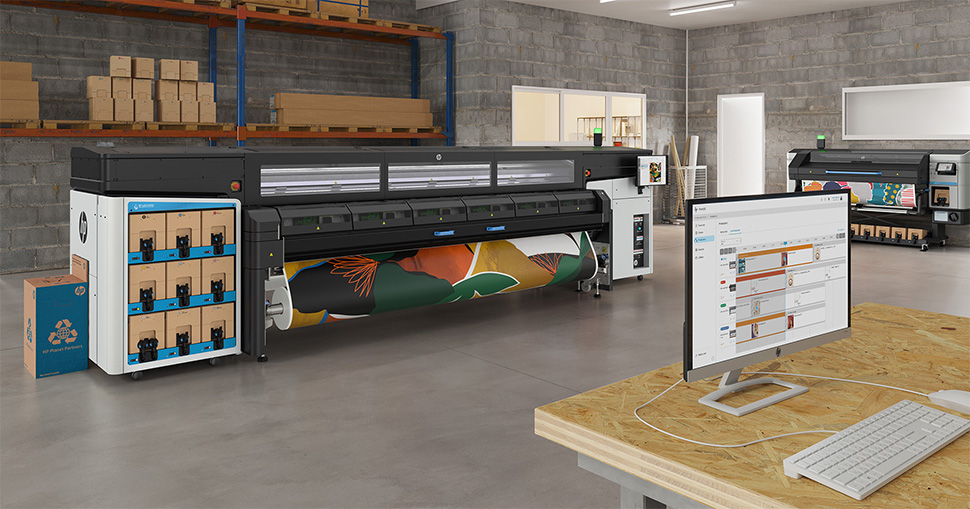
Sample Checklist for Reliable Results
Use this sample checklist as a starting point, adapting it to your specific equipment and workflow:
- Verify artwork files (format, resolution, color mode)
- Inspect media for defects and proper storage conditions
- Calibrate monitor and confirm ICC profiles
- Perform printer maintenance (nozzle check, head cleaning)
- Run test prints and adjust settings as needed
- Monitor environment (temperature, humidity)
- Check media loaded and settings matched
- Visually inspect prints during production
- Compare finished prints to proofs or swatches
- Measure final product for dimensional accuracy
- Document any issues or deviations
Continuous Improvement and Staff Training
Quality assurance is not a one-time effort. Regularly review your processes, update checklists, and provide training for staff. Encourage open communication so operators can report issues and suggest improvements. Staying proactive ensures your print operation remains competitive and delivers consistent results.
To learn about other advanced print finishing techniques, you might find value in reading about what is holographic lamination and its impact on visual appeal.
FAQ
What are the most common quality issues in latex printing?
The most frequent problems include color inconsistency, banding, ink adhesion failures, and substrate incompatibility. These can usually be prevented through regular maintenance, proper calibration, and careful media selection.
How often should I calibrate my monitor and printer?
For best results, calibrate your monitor monthly and your printer whenever you change media types or notice color shifts. Using a dedicated calibration tool helps maintain color accuracy throughout your workflow.
Can digital tools replace manual quality checks?
Digital tools enhance oversight and efficiency but should complement—not replace—manual inspections. Combining automated monitoring with hands-on checks ensures the highest level of quality control in latex printing.




